
Two Blinds, AES and Six Relays Later...
How refusing to spend €99 on a gateway dragged me into 433 MHz, SDR, rolling codes and encryption... only to end up pressing buttons with relays.
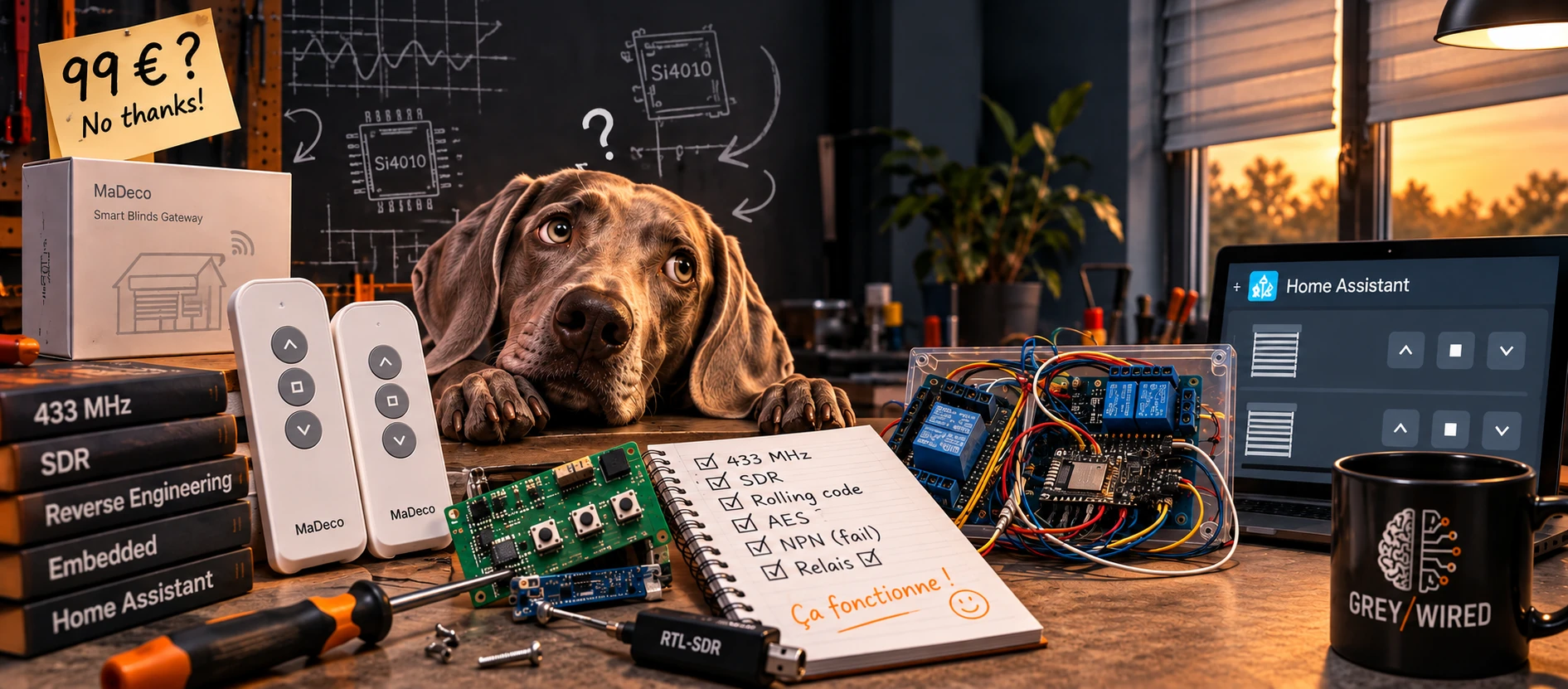
Home automation for MaDeco blinds, or when things can sometimes go very (too?) far
Some projects start with a perfectly identified need.
And then there are those that start with: “Hmm… that would actually be pretty nice.”
This one clearly belongs to the second category.
At home, we have two battery-powered MaDeco motorized roller blinds. They must be seven or eight years old, still work perfectly, and are radio-controlled. At the time, each blind came with its own single-channel remote, and we later bought a multi-channel remote to control both from a single device.
In short, everything worked. There was absolutely no problem to solve.
But I was in the middle of integrating as much equipment as possible into Home Assistant, and inevitably, my attention eventually turned to those two blinds.
What if Home Assistant could control them too? That would make it possible, for example, to open or close them automatically depending on the outdoor light level.
Nothing essential. But it would be fun.
€99? For that?
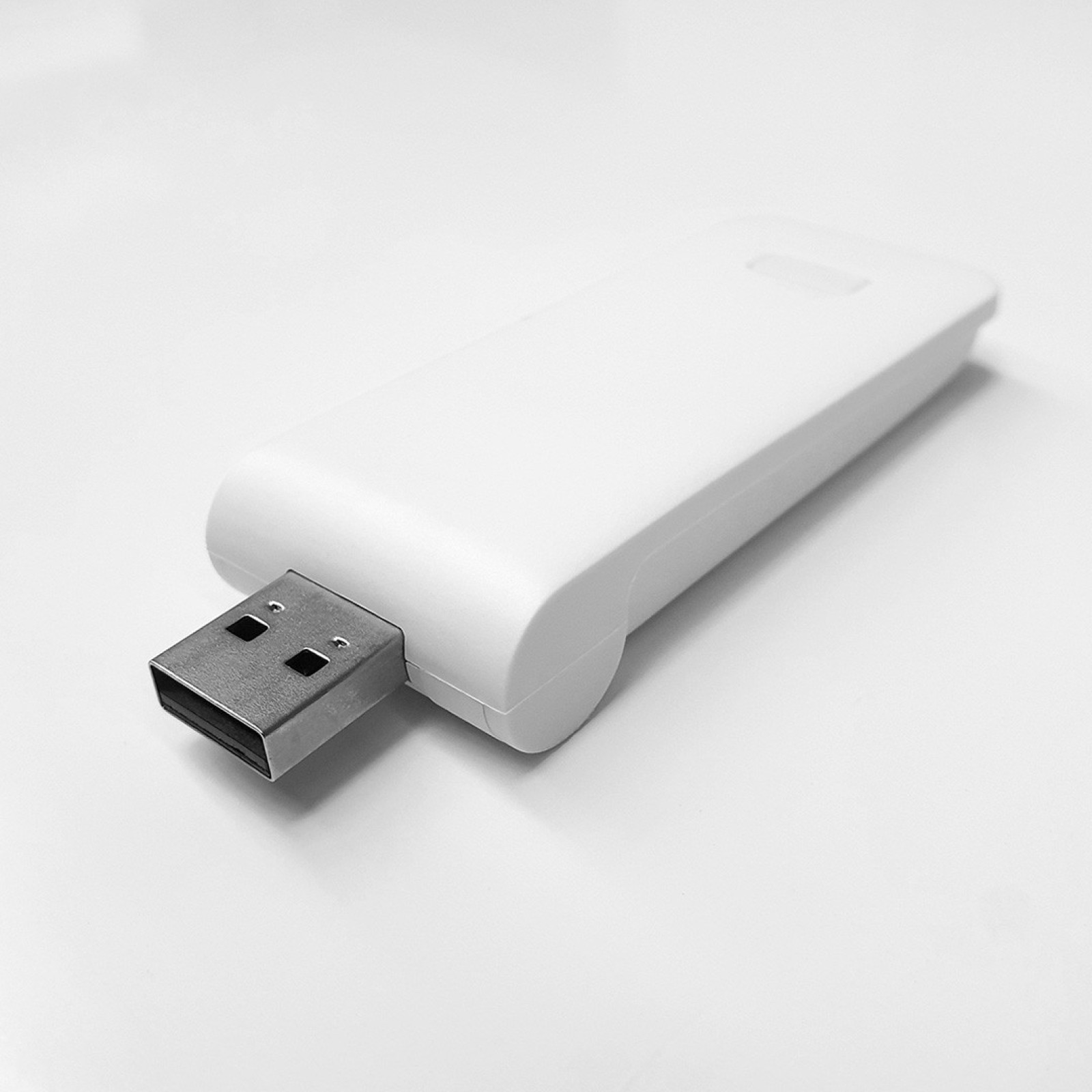
I vaguely remembered that MaDeco offered a solution for connecting its blinds. A few searches later, I did indeed find a small USB/Wi-Fi gateway. Price: €99 — and that is still the price as I write this.
To be clear: I am not claiming that €99 is objectively a bad price. For someone who simply wants to connect their blinds, plug in a gateway, go through a few pairing steps and move on, the solution may make perfect sense.
The problem lies elsewhere. When I have a reasonably good idea of what might be inside a device, I find it extremely difficult not to start mentally breaking it down. A bit of electronics, a controller, an RF interface, Wi-Fi, an enclosure, some firmware... and my brain immediately starts doing its own calculations. Especially since a replacement remote cost around twenty euros.
€99 to connect two old blinds? That seemed like a lot. Surely I could do it another way.


433 MHz RF. This is going to be easy.
First instinct: take a closer look at the remotes. I turn one over.
433 MHz RF. Perfect.
433 MHz is used by an incredible number of remote controls and small household devices, and modules capable of receiving or transmitting in this band cost only a few euros. In my infinite naivety, the plan therefore seems fairly obvious: capture the signal, reproduce it, control it from Home Assistant. How hard could it be?
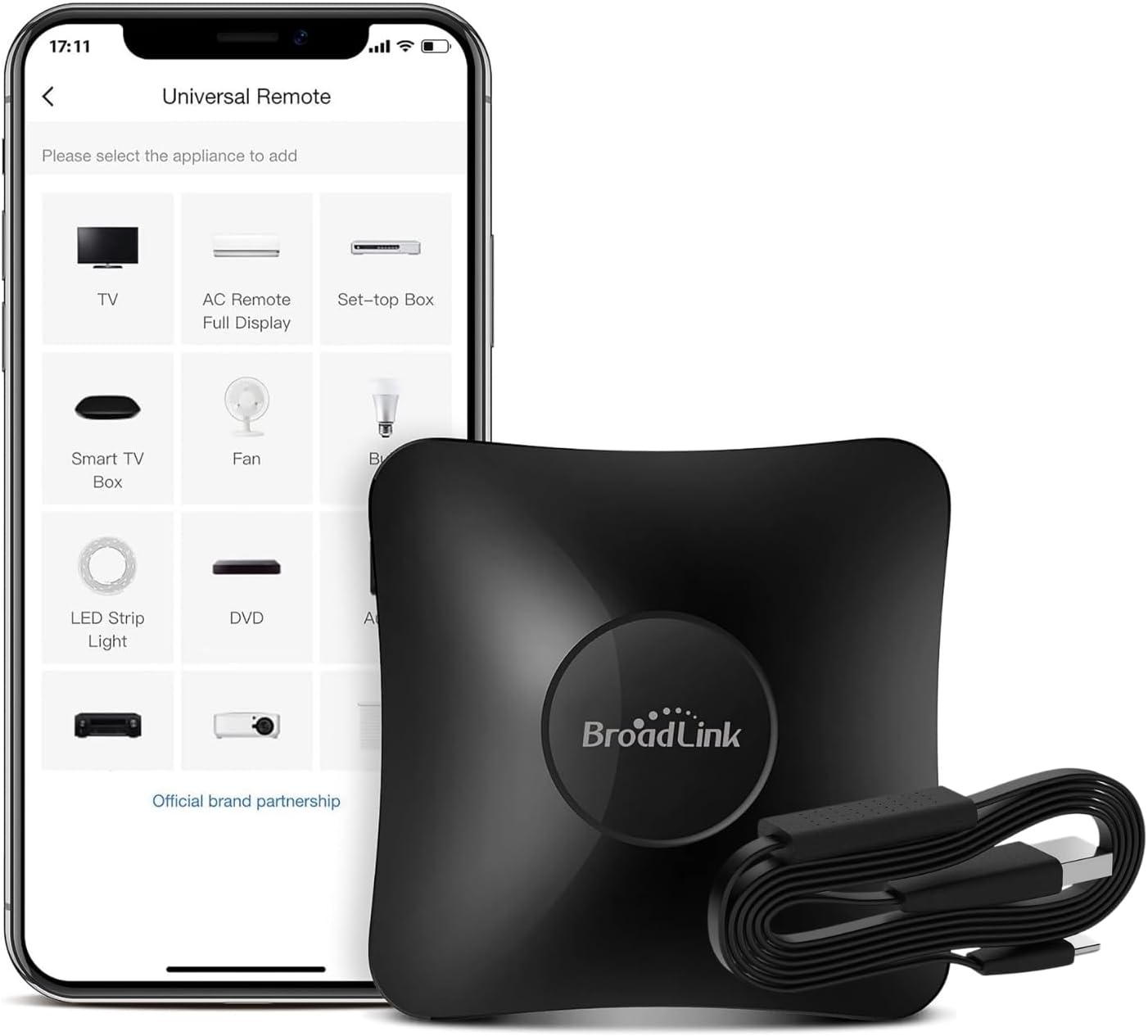
My first searches quickly lead me to the Broadlink RM4 Pro, which can learn and reproduce various infrared and RF signals. And that works out rather well: I also have several infrared remotes that I would like to integrate into Home Assistant. Even if the experiment with the blinds fails, the Broadlink will not go to waste.
I order it without much hesitation. It arrives. I start the learning process with the MaDeco remote.
Nothing. I try again. Still nothing.
Right. Apparently, “433 MHz RF” was not the whole answer after all.
Fine. Let's see what it has to say.
By this point, the remote has really started to pique my curiosity. I had assumed that a motorized blind several years old would use something relatively basic. Since the Broadlink could not learn the signal, I was going to try capturing it myself.
I put together an ESP32 NodeMCU-32S with a CC1101, flash it with ESPHome and start testing various available libraries. There are countless projects built around 433 MHz: surely someone had already run into my problem.
This is also when one name starts appearing regularly in my searches: Dooya. Several clues suggest that my remotes might be related to models or protocols used by this manufacturer, and I do indeed start recovering fragments of frames with the CC1101.
Good news: there is something there. Less good news: that something does not match any of the protocols recognized by the libraries I am testing.
Just in case, I still try forcing the transmission of an existing Dooya protocol. I put one blind into pairing mode and send the sequence.
Nothing.
So perhaps it isn't Dooya? Or, another possibility, “Dooya” does not refer to one single protocol. Digging deeper, I do indeed find several variants, and one term starts appearing more and more often: rolling code.
For a blind. This is starting to feel like quite a lot of security just to move a piece of fabric up and down.
Rolling code doesn't explain everything
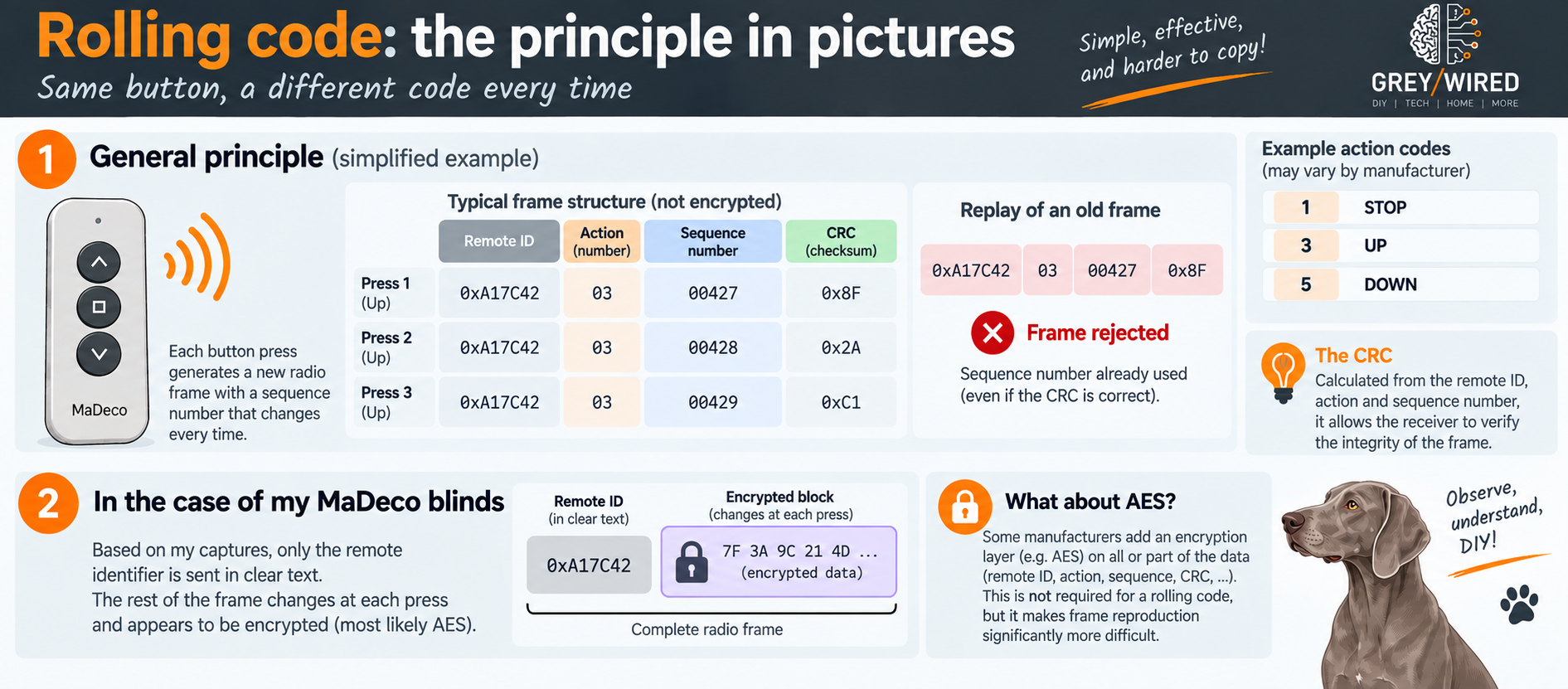
I already had some useful information about how my remotes worked. Everything pointed to essentially one-way communication between them and the blinds. Each remote also has its own identity, and adding a new remote requires a pairing procedure: the blind has to be placed into a particular mode before a sequence is sent from the remote being registered.
The general principle of a rolling code did not seem particularly mysterious to me: a remote has an identity, transmits information that changes with every command, and the receiver maintains a window that allows it to accept new codes while rejecting a simple replay of an old transmission.
In theory, since the remote does not seem to receive anything from the blind, everything I need must necessarily be contained in what it transmits. I just need to be able to observe it properly.
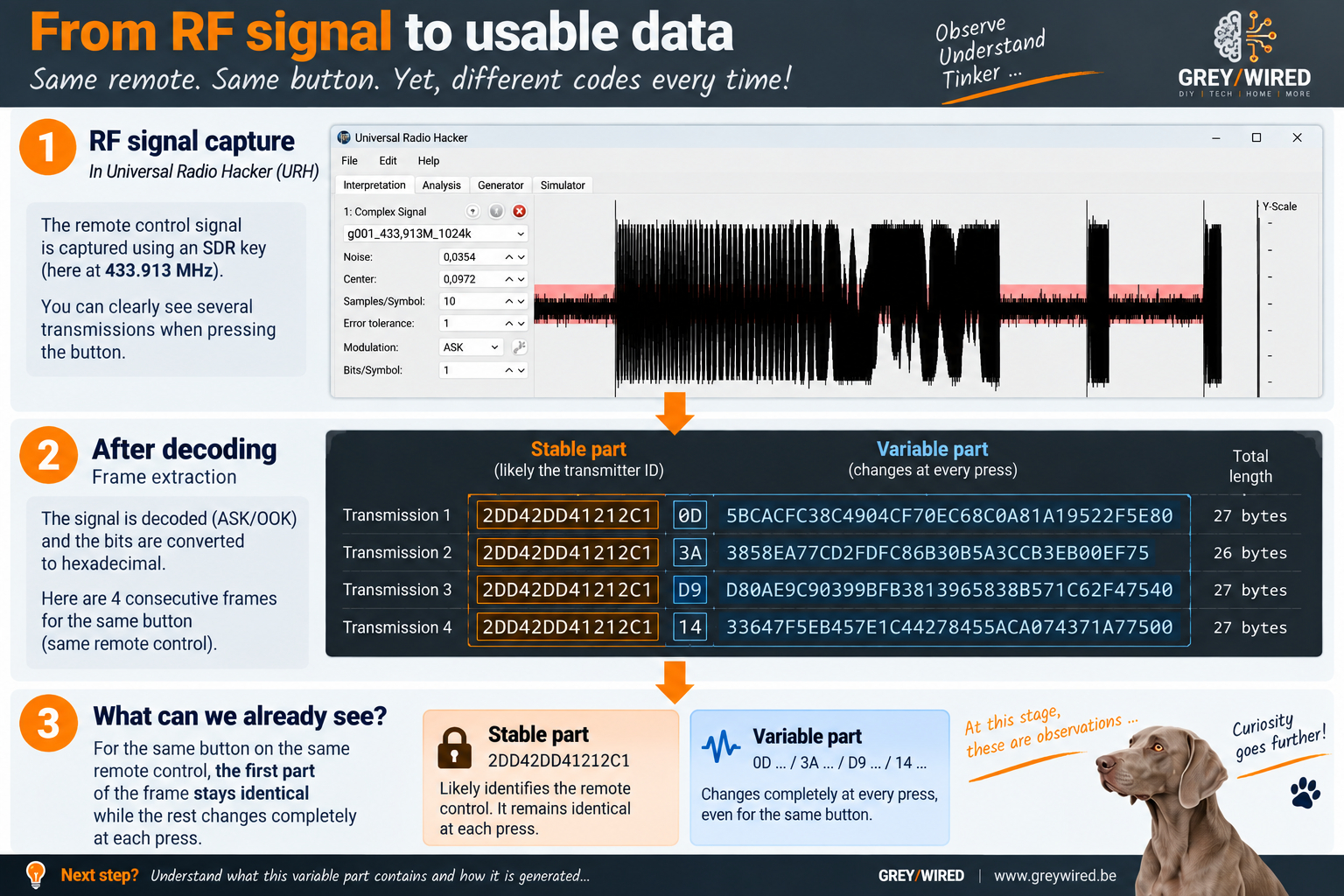
My first captures are already starting to show something interesting: one part of the signal appears stable while another changes. That fits my hypothesis rather well. Except there seems to be something else — and that something is considerably less obvious to explain.
Time to bring out the heavy artillery
To really understand what is going on, I now need to observe the signal in a little more detail. I am obviously not going to buy a spectrum analyzer for two blinds. On the other hand, my searches bring me back to a field I had vaguely studied during my education and never really had the opportunity to explore since: software-defined radio, or SDR.
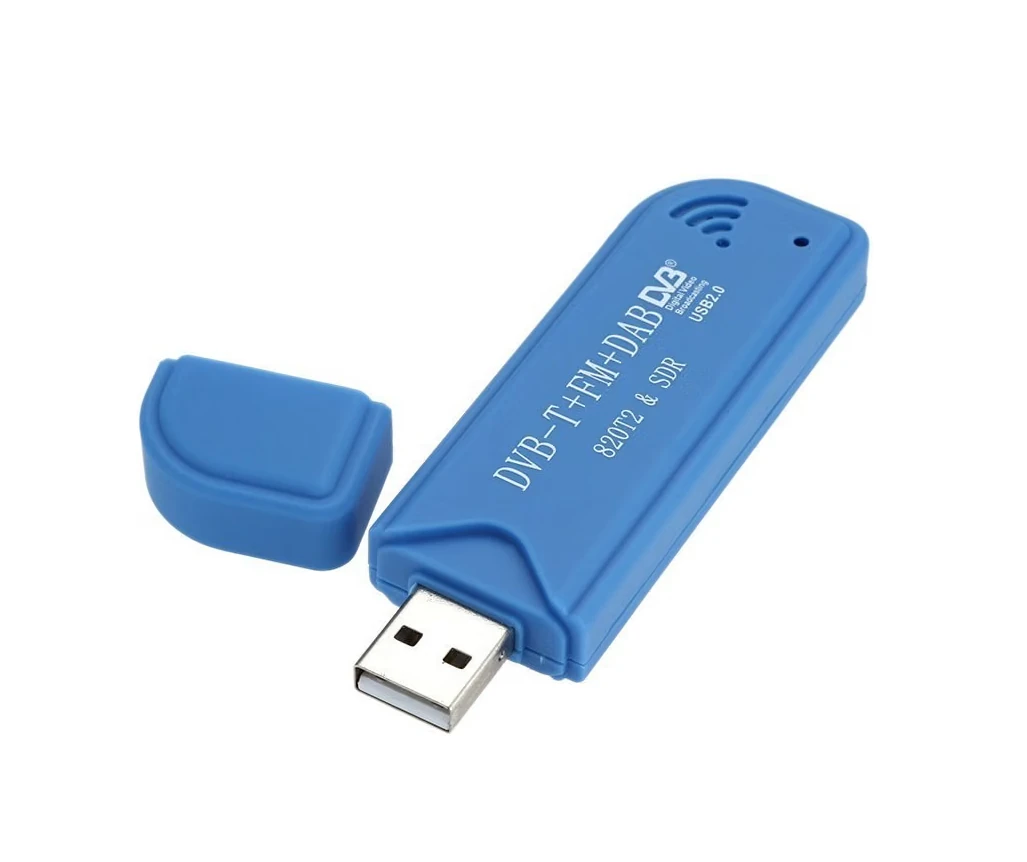
For a few dozen euros, a small USB dongle now provides access to a world that once required much more specialized equipment. The prospect is becoming almost as interesting as the blinds themselves.
So I order an SDR dongle. A few days earlier, I merely wanted to open and close two blinds from Home Assistant. Now I am dusting off old memories of radio technology.
Everything is fine.
The SDR rabbit hole
I am not going to detail every piece of software, setting and experiment from this phase. At this point in the project, I found myself drawn into a kind of spiral where two goals became intertwined: properly capturing the frames from my remote, and rediscovering a radio world far broader than I had expected.
Among the tools that proved genuinely useful, Universal Radio Hacker (URH) played a central role in the analysis, alongside rtl_433 and SDR++ for various reception and capture experiments.
But before I could even understand what my remote was saying, I first had to hear it properly — and that is when I discovered just how crowded my RF environment was. A significant part of the work consisted of obtaining captures clean enough to distinguish what I was looking for from everything else: distance, positioning, settings, reducing interference... I even built a few makeshift Faraday cages.
At this point, it is worth remembering the original goal: open and close two old blinds. From Home Assistant. Because it would be fun.
Finally, frames that start making sense
All that work eventually pays off. I obtain captures that are reasonably stable and clean enough to start comparing several transmissions. Part of each frame is perfectly repeatable; another part changes. Rolling code immediately comes to mind again — but my captures keep suggesting that there is something more.
At this point, Dooya is appearing more and more often in my research, although I still cannot actually confirm that my MaDeco remotes come from that ecosystem. I have clues. No proof. And above all, I am still treating the remote as a black box.
Maybe it is time to change methods.
BREAK — Let's open the black box
Fortunately, I have a guinea pig. Since we have long used the multi-channel remote to control both blinds, the two original single-channel remotes have become largely expendable. I can therefore sacrifice one in the name of scientific curiosity.
Screwdriver. Let's see what is actually inside.
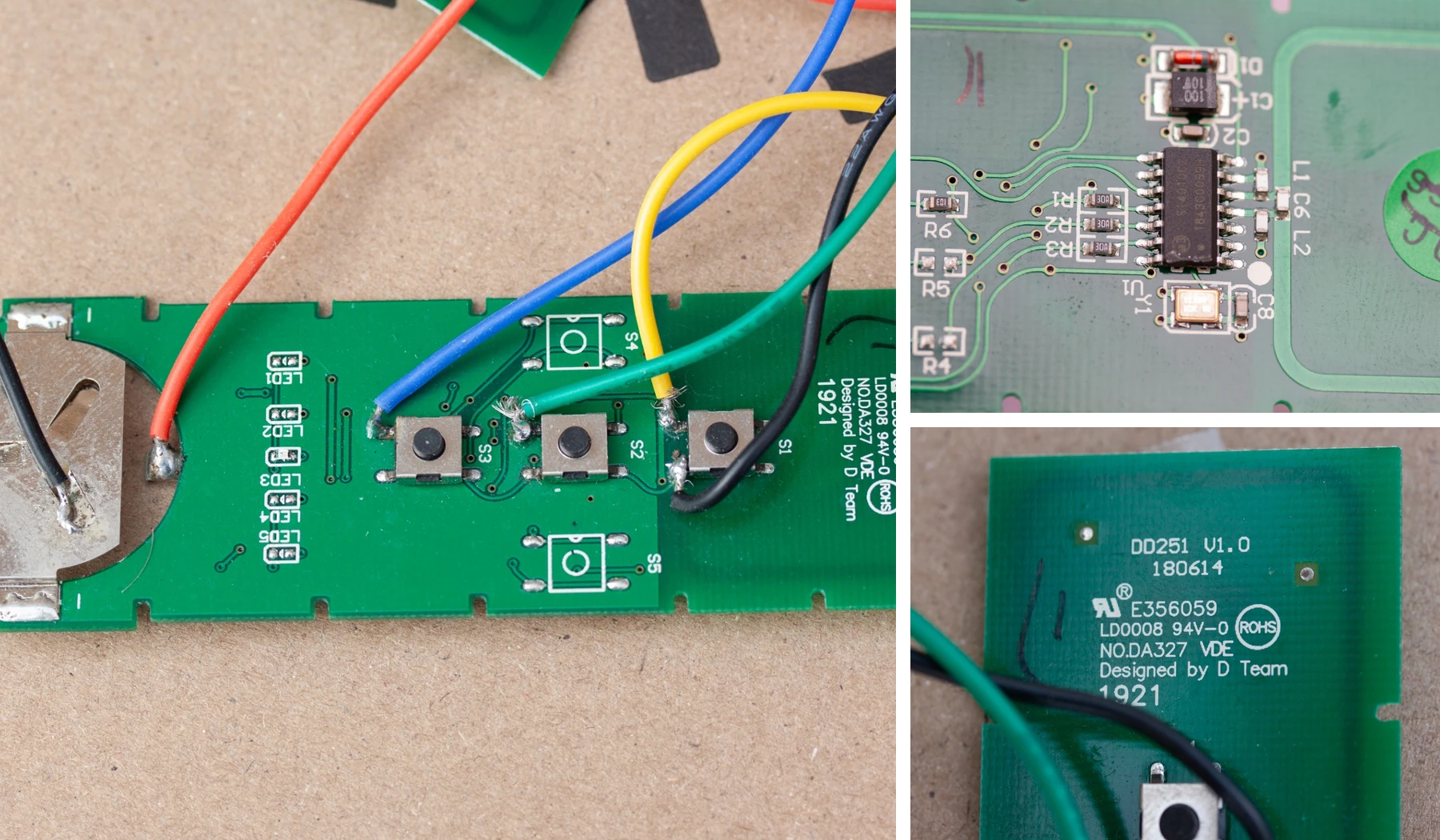
The PCB quickly provides some new clues. It carries references such as DD251 V1.0 and NO. DA327, further reinforcing the lead I have been following for a while.
As I continue inspecting and researching the components, one small integrated circuit in particular catches my attention. The heart of the remote appears to be a Silicon Labs Si4010.
And now things get considerably more interesting.
Ah. AES.
The Si4010 is not simply a small 433 MHz transmitter. It is a programmable RF SoC integrating, among other things, an 8051 core, memory, an RF transmitter capable of OOK/FSK, a unique identifier and, most importantly, a hardware AES-128 accelerator. Silicon Labs even provides reference designs using the Si4010 to build one-way radio links secured with AES.
Suddenly, everything starts falling into place: a stable part, a transmitter identity, an evolving counter, a rolling code — and a part whose variations were much harder to explain. AES encryption was becoming an extremely credible hypothesis.
The problem is that understanding why something does not work does not necessarily mean knowing how to reproduce it. In fact, what I had mostly just figured out was why it wasn't as simple as I had expected.
Two options
At this point, two possibilities emerge.
1. Generate the frames myself
The overall structure is starting to become reasonably clear. If part of the frame is indeed encrypted with AES, in theory I would “simply” need to know the key being used, maintain the counter correctly and generate valid frames.
The quotation marks around “simply” are obviously becoming rather important.
But the key has to be somewhere. And if the Si4010 performs the encryption, the key must necessarily be available to its firmware. Why not simply retrieve it from the chip?
Because Silicon Labs had apparently anticipated that someone might have that idea. The Si4010 includes mechanisms for protecting its programmed contents and locking read access. So the easy route of connecting a few wires and quietly extracting the firmware and its secrets was not available on my remote.
Of course, one could start imagining much more invasive hardware attack techniques. But even by my standards, there is a limit to what is reasonable to undertake for two blinds.
Well, usually.
2. Use a Dooya gateway directly
The other option is far more pragmatic. During my research, I come across more and more reports suggesting that Dooya supplies its technology to various manufacturers, and that some equipment sold under other brands can be controlled using remotes or gateways from that ecosystem.
If my blinds are indeed based on that technology, why try to build a Dooya gateway? Dooya already makes them. Excellent. I just need to order one.
Well… several hubs and gateways did indeed exist, but the models I was interested in had become particularly difficult, if not impossible, to find. I also discovered USB gateways sold under other brands that looked suspiciously similar to the MaDeco one. The temptation to buy one became strong, if only to close the loop.
But after coming this far, ultimately buying another version of that gateway would have felt a little like admitting defeat. And then an idea I had dismissed very early in the project came back to mind.
What if I stopped trying to replace the remote?
My two single-channel remotes, which I no longer use, are compatible with my blinds. They know the protocol. They know how to manage their identity and maintain their rolling code. They have the AES key, whatever it may be. And most importantly: they work.
Why keep trying to reproduce all of that? An ESP32 does not actually need to know how to talk to the blind. It only needs to know how to press the buttons on the remote.
After weeks spent exploring radio, the protocol and encryption, the solution suddenly becomes ridiculously simple. Each remote has three buttons — up, stop, down — meaning three contacts to simulate.
I get the multimeter out. Three buttons, one common line. Four small solder joints per remote, plus the power supply.
Easy. Obviously.
Maybe I tried to be too clever
One detail bothers me, though. The common line shared by the three buttons, which I instinctively wanted to treat as ground, does not appear to be directly connected to the negative side of the power supply. That seems a little suspicious — but I nevertheless decide to use NPN transistors to simulate the button presses.
On paper, I rather like the circuit: a few resistors, three transistors per remote, GPIOs from the ESP32. Compact, clean, elegant.
I build it. I start testing. And it works. Well… sometimes. The commands are unstable and the behavior erratic enough to make it obvious that something is wrong.
To drive my NPNs, I had ended up referencing my circuit to that infamous common button line. The multimeter had warned me: that was clearly not a good idea. Nothing dramatic — the remotes still work, and all I sacrificed to the experiment were a few transistors and resistors.
But it is time to return to the basic problem. I have a normally open contact. I want to close it electrically without imposing a common reference between the two circuits.
There is an extremely sophisticated component for that. A relay.
Six relays
Yes. After SDR, RF analysis, rolling code, AES, a Si4010 and a few transistors… I was going to use relays to control my remotes, which would then control my blinds.
This is where we were.
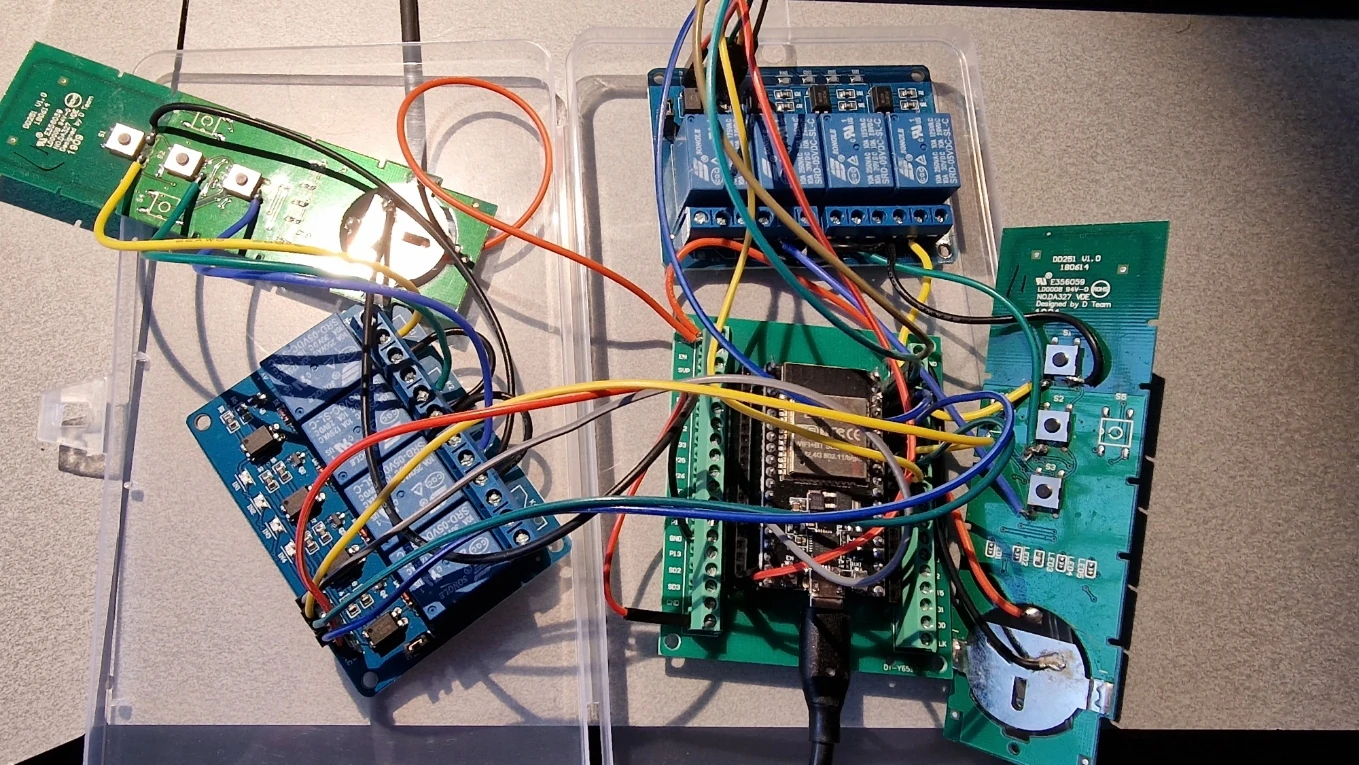
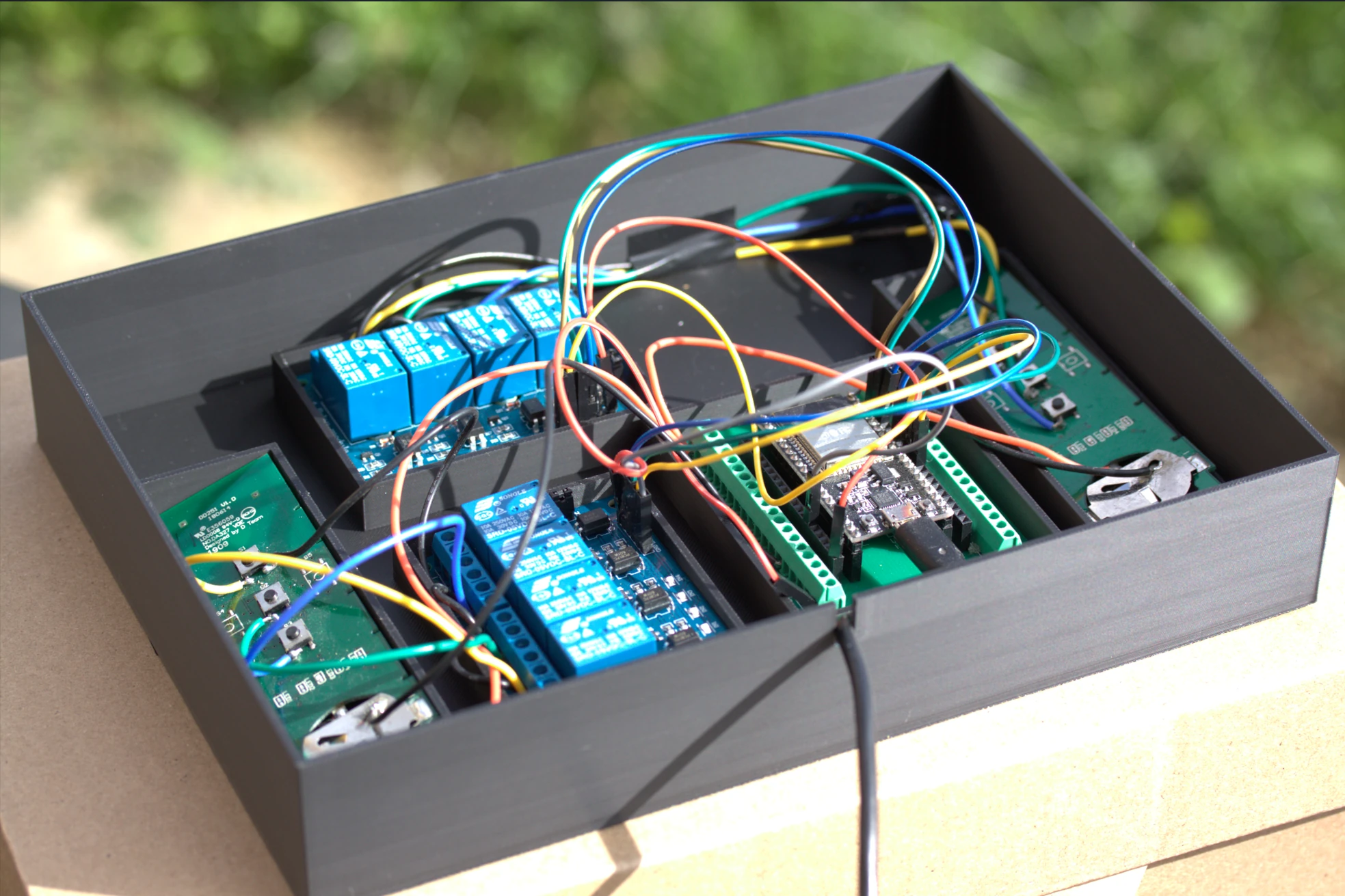
I needed six of them: three buttons for each of the two remotes. I still wanted to keep the whole thing reasonably compact, and I found small boards with four 5 V relays, small enough to integrate easily with the ESP32.
Two boards. Six relays used. A few solder joints. A small ESPHome build.
And it works. Just like that.
For reference, here is the YAML for ESPHome Builder:
esphome:
  name: store-salon

esp32:
  board: esp32dev
  framework:
    type: arduino

# Connection to Home Assistant (auto-discovery)
api:
  encryption:
    key: ****************************************************
ota:
  - platform: esphome
    password: ***********************************************

wifi:
  ssid: "WIFI_SSID"
  password: WIFI_PASSWORD

# Test web interface, accessible via the ESP32 IP address
web_server:
  port: 80

logger:
  level: DEBUG

output:
  - platform: gpio
    pin: GPIO23
    id: sortie_stop_1
    inverted: true
  - platform: gpio
    pin: GPIO5
    id: sortie_monter_1
    inverted: true
  - platform: gpio
    pin: GPIO22
    id: sortie_descendre_1
    inverted: true
  - platform: gpio
    pin: GPIO18
    id: sortie_stop_2
    inverted: true
  - platform: gpio
    pin: GPIO19
    id: sortie_monter_2
    inverted: true
  - platform: gpio
    pin: GPIO21
    id: sortie_descendre_2
    inverted: true

cover:
  - platform: template
    name: "Store Salon Droite"
    open_action:
      - output.turn_on: sortie_monter_1
      - delay: 400ms
      - output.turn_off: sortie_monter_1
    close_action:
      - output.turn_on: sortie_descendre_1
      - delay: 400ms
      - output.turn_off: sortie_descendre_1
    stop_action:
      - output.turn_on: sortie_stop_1
      - delay: 400ms
      - output.turn_off: sortie_stop_1
    has_position: false
    optimistic: true
  - platform: template
    name: "Store Salon Gauche"
    open_action:
      - output.turn_on: sortie_monter_2
      - delay: 400ms
      - output.turn_off: sortie_monter_2
    close_action:
      - output.turn_on: sortie_descendre_2
      - delay: 400ms
      - output.turn_off: sortie_descendre_2
    stop_action:
      - output.turn_on: sortie_stop_2
      - delay: 400ms
      - output.turn_off: sortie_stop_2
    has_position: false
    optimistic: true
The final system could hardly be more straightforward:
Home Assistant → ESPHome → ESP32 → relays → MaDeco remotes → RF → blinds
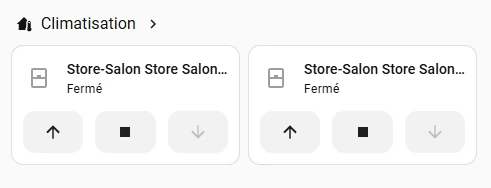
Home Assistant keeps track of the blinds' state in optimistic mode. There is no actual position feedback from these old blinds: the displayed state therefore corresponds to what Home Assistant has asked them to do. For my purposes, that is more than sufficient — and, most importantly, the blinds can now take part in the house's automations.
Goal achieved.
One month later
As I write this article, the build has been running for about a month without a single problem. The remotes are now powered directly by the circuit: no more batteries to replace. RF range is excellent, allowing me to hide the whole thing practically anywhere without having to worry about its position relative to the blinds.
And probably the best indication of its reliability is this: I've forgotten it exists. It is one of those installations you put in a corner and stop thinking about because it simply does its job.
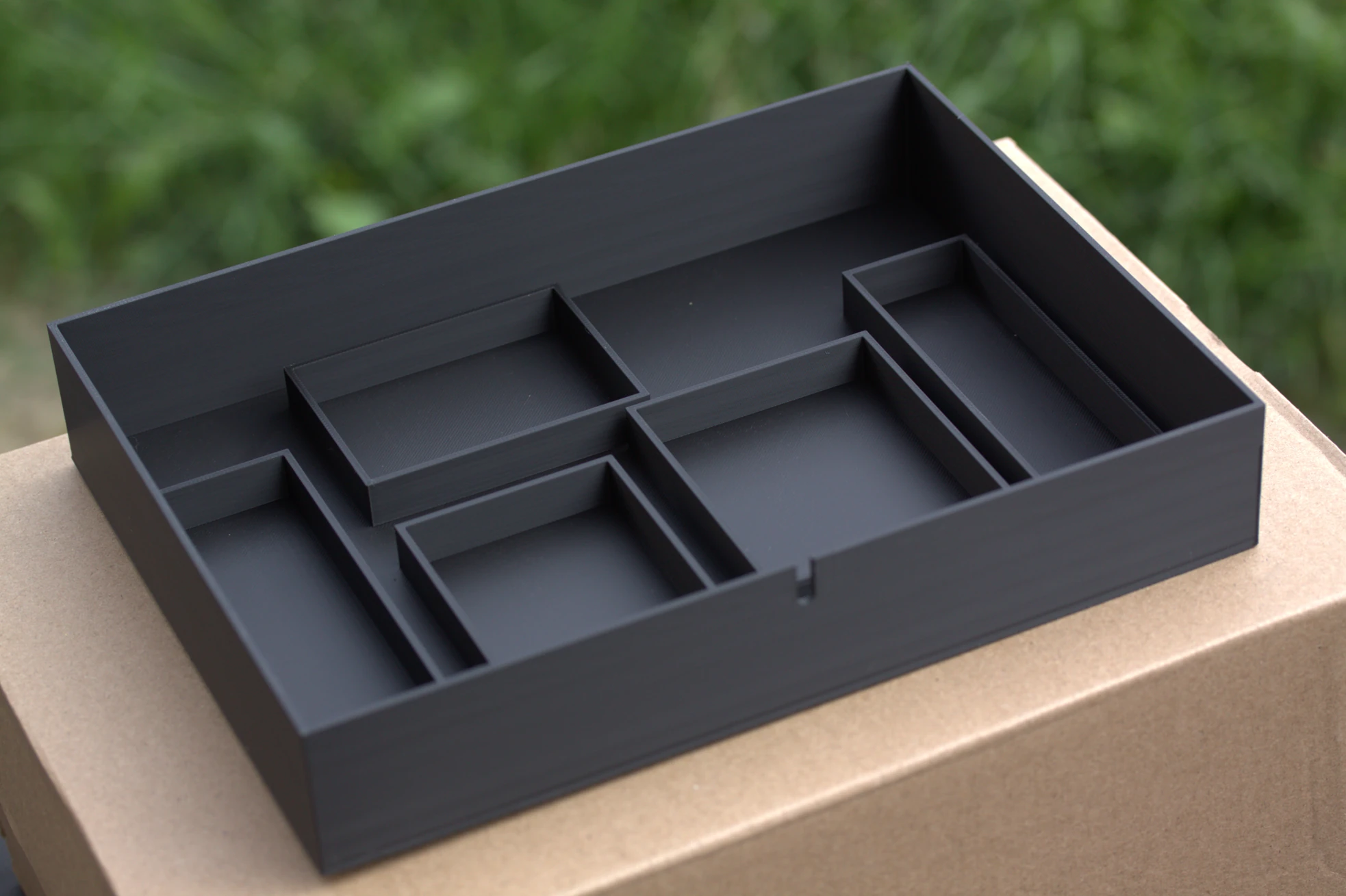
All that remains is to print a proper enclosure to replace the very elegant plastic box currently housing the prototype. Nothing technically difficult — I simply have not found the time yet.
In the meantime, I had another crazy idea: create a website to tell stories about projects like this one.
You're reading it right now.
And what about those €99?
The obvious question is: did all of this save me the €99 for the gateway?
Probably not. If I add up all the equipment I bought along the way, I most likely spent a similar amount, perhaps even slightly more.
But in the end, that comparison does not make much sense. The Broadlink was not bought solely for the blinds and lets me control other infrared devices. The SDR dongle has become a genuine experimentation tool. The ESP32s, CC1101 and other components can be reused in countless other projects. And a few transistors donated their bodies to science.
More importantly, €99 would have bought me a gateway. The detour gave me hands-on experience with 433 MHz, the CC1101, SDR, signal analysis, URH, rolling codes, AES, the Si4010 and ESPHome, while deepening a few electronics concepts along the way. It also allowed me to return to a field I had not really explored since my studies.
Seen from that angle, the calculation becomes much less obvious.
Someone else would have bought the €99 gateway, connected their blinds in a few minutes and spent the following weeks doing something completely different. And they would have been perfectly right to do so.
I did it differently. And I do not think I was wrong either. We simply were not looking for exactly the same thing.
Understand, learn, reproduce
Looking back, this project sums up one of the things that drives me when I tinker with something: understand, learn and, whenever possible, reproduce.
It is certainly not always the fastest way to reach the result. But the result is often only part of what I was looking for. If my only goal had been to get two blinds into Home Assistant, buying a gateway would probably have been the most rational decision. But as soon as the Broadlink refused to recognize that remote, the problem itself became interesting.
And a few weeks later, my blinds were indeed in Home Assistant. Thanks to six relays.
It is not the technically sophisticated solution I imagined in the middle of my investigation. In fact, it is probably the most primitive of all the solutions I considered.
But it is simple. It is robust. It works. And after a month, I've already stopped thinking about it.
It is hard to ask much more from a home automation system.
Case closed?
Yes. Well… there is still that blasted AES key.
Somewhere in this story, the information I am missing to generate valid frames myself and remove the remotes from the equation entirely still exists. Today, retrieving it would require a completely disproportionate investment of time and resources.
Even by my standards.
So the relays are staying.
But if, one day, that key — or enough information to fully reproduce the protocol — were to appear somewhere…
I absolutely cannot guarantee that this case would stay closed.
Comments
No comments yet.
Add a comment