
A €7 Smart Plug, but at What Cost?
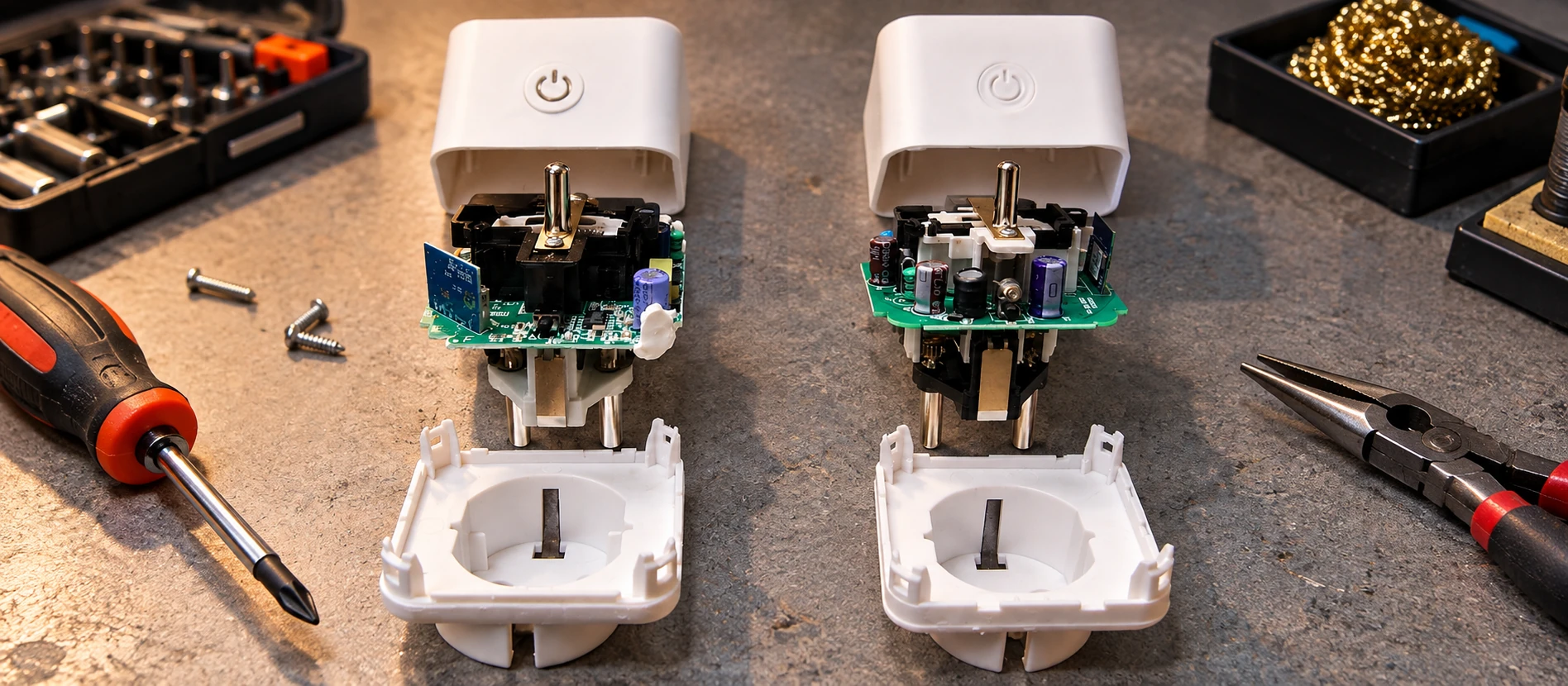
I'd had two LSC Smart Connect plugs from Action lying around for a good while.
Why had I bought them?
Excellent question.
They only cost around €7, offered power monitoring… Surely I'd find something interesting to do with them one day.
So they spent ages in a drawer.
Then Home Assistant arrived in the house and finally gave them a purpose: measuring the power consumption of various devices and, potentially, controlling them.
There was still one catch. Out of the box, these plugs work with the manufacturer's ecosystem and cloud. For my use, I obviously wanted something local, integrated directly into Home Assistant.
I clearly wasn't the first person to have that idea.
A procedure for replacing their firmware with ESPHome was already documented on the HACF forum.
I followed it on both plugs and, after a bit of tinkering, I had exactly what I wanted: two plugs with power monitoring, controlled locally and integrated into Home Assistant.
For €7 each, it was hard to complain.
So I thought I'd buy another two or three.
Obviously.
Same box, small surprise inside
During July–August 2026, a new hardware revision started appearing on Action's shelves.
I found out the practical way: of the three plugs I'd just bought, two contained the new hardware, while the third was still the older generation.
From the outside, nothing gives the difference away. The boxes are identical: no batch number, reference or marking on the packaging tells you what you're actually buying.
Inside, however, the controller used previously (a BK7231N) has been replaced by a BK7238.
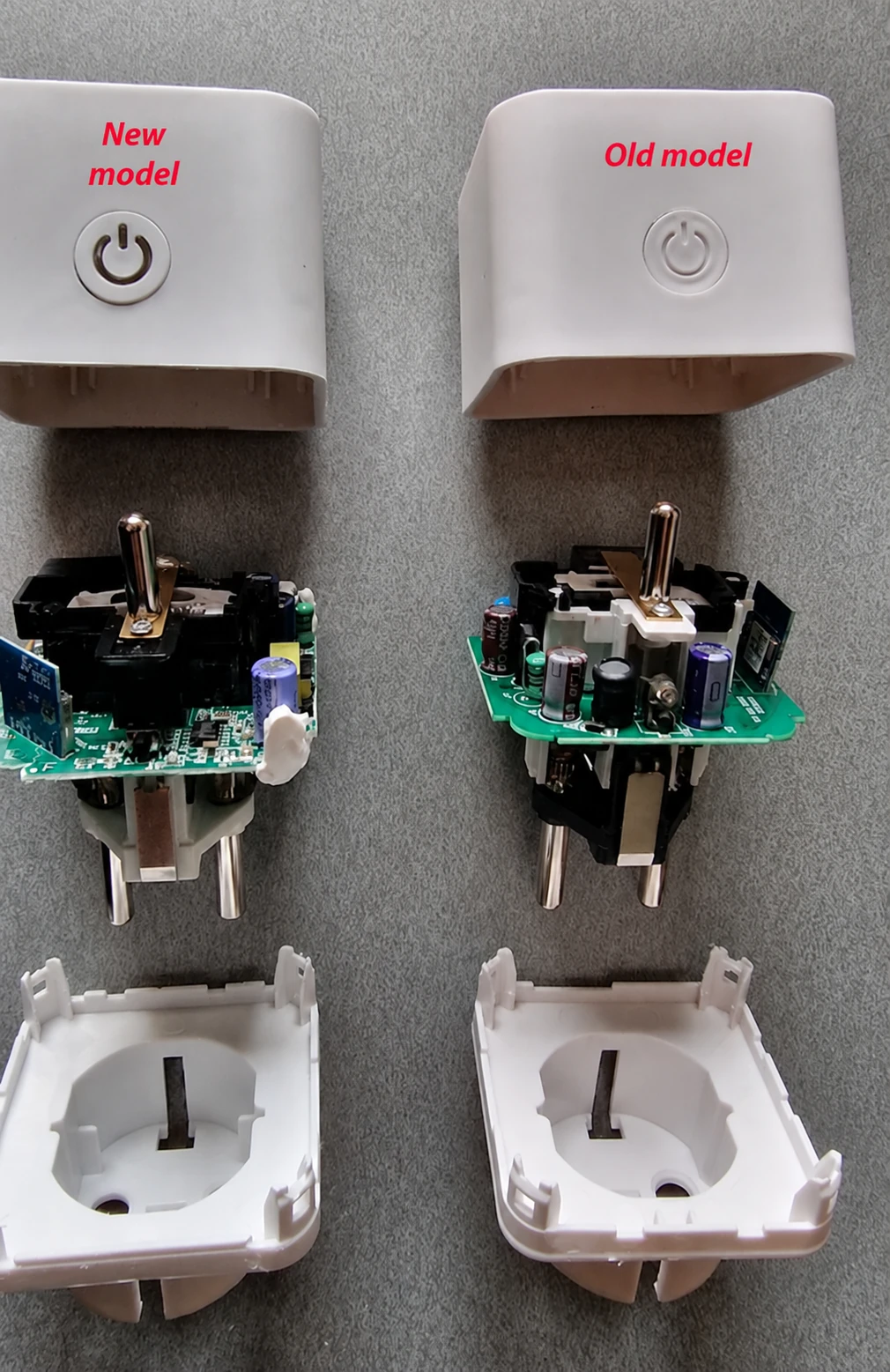
Both generations are therefore on the shelves at the same time. Buying one of these plugs has become a small electronic lottery: there's no way to know which version you've got until you open it.
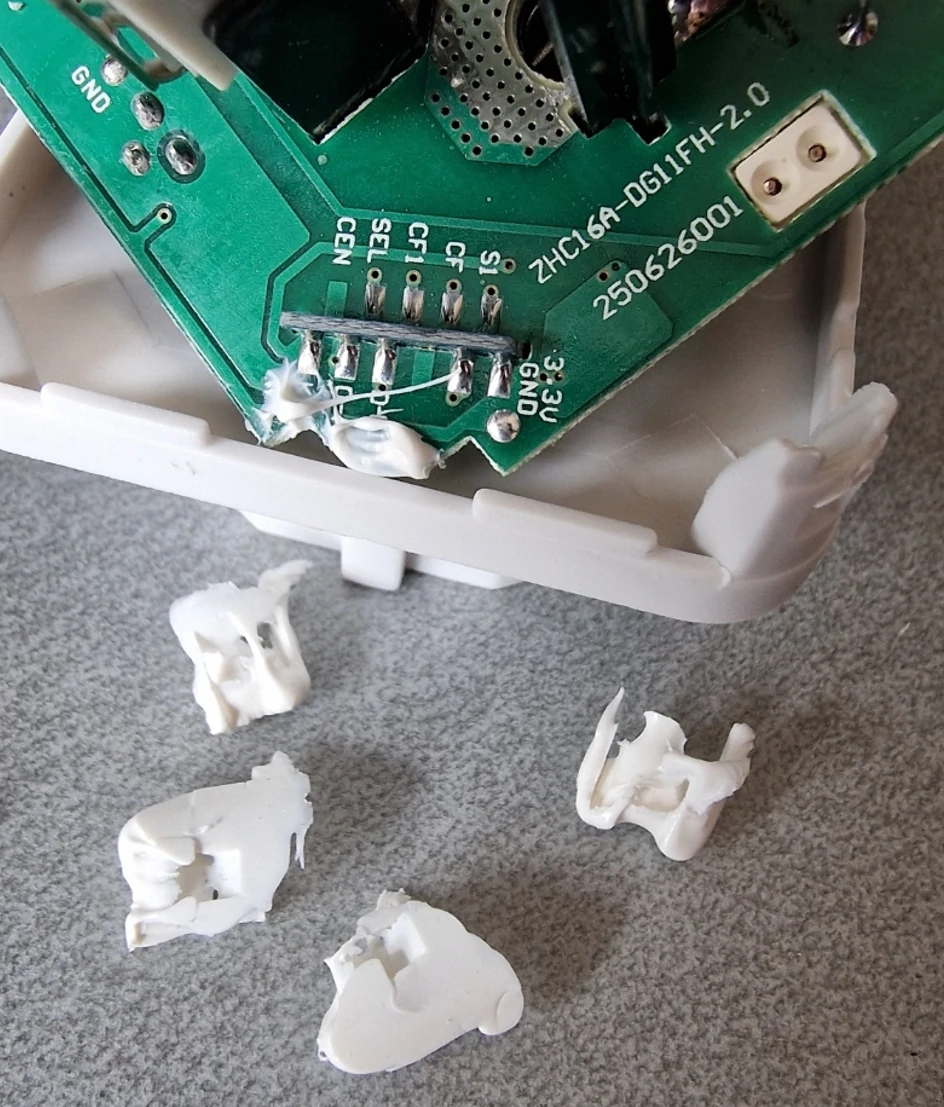
And because changing the controller would have been too simple, the new version also opens up to reveal a generous layer of something that looks suspiciously like bathroom silicone sealant.
Nothing insurmountable, but enough to take some of the fun out of opening it. In my case, the sealant had no apparent electrical or mechanical purpose: I was able to remove it without consequence.
A quick warning before reaching for the screwdriver
These plugs are connected to 230 V mains, which calls for a few precautions:
- Never open or flash a plug while it is connected to the mains. All work must be done with the plug disconnected.
- Check the enclosure when reassembling it. It must close properly, without pinching any wires or leaving conductive parts accessible.
- Warranty and responsibility. Opening and reflashing the device voids its warranty, and everything described here is done at your own risk.
When the hardware moves faster than the tools
The controller change had a more annoying consequence: the procedure I'd used on my first two plugs no longer worked as-is.
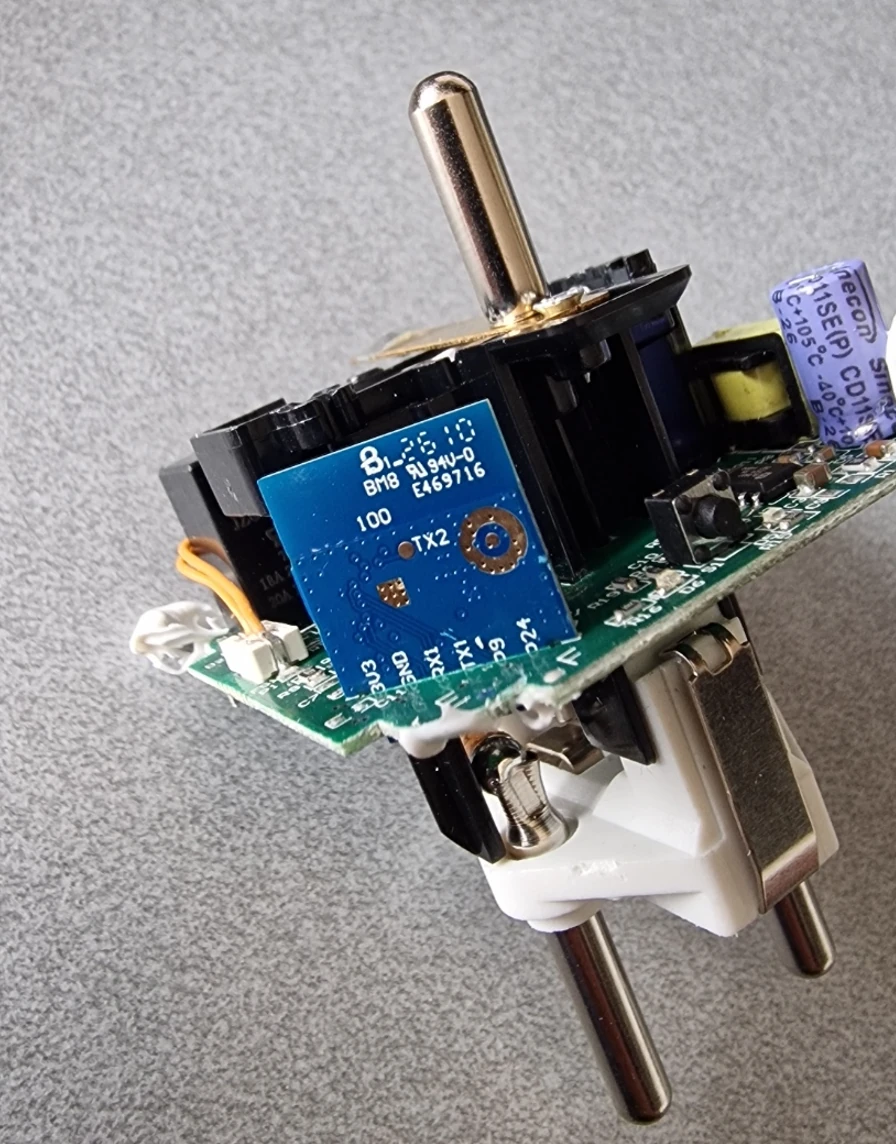
At the time of my tests, BK7238 support was still evolving in ESPHome and LibreTiny (the project that brings support for these chips to ESPHome), and the usual flashing tools weren't all ready for the new chip.
So a little research was needed.
Building on the ongoing work around ESPHome and LibreTiny, I was able to compile firmware for the BK7238 and then flash it with bk7231tools, a different tool from the one I'd used the first time.
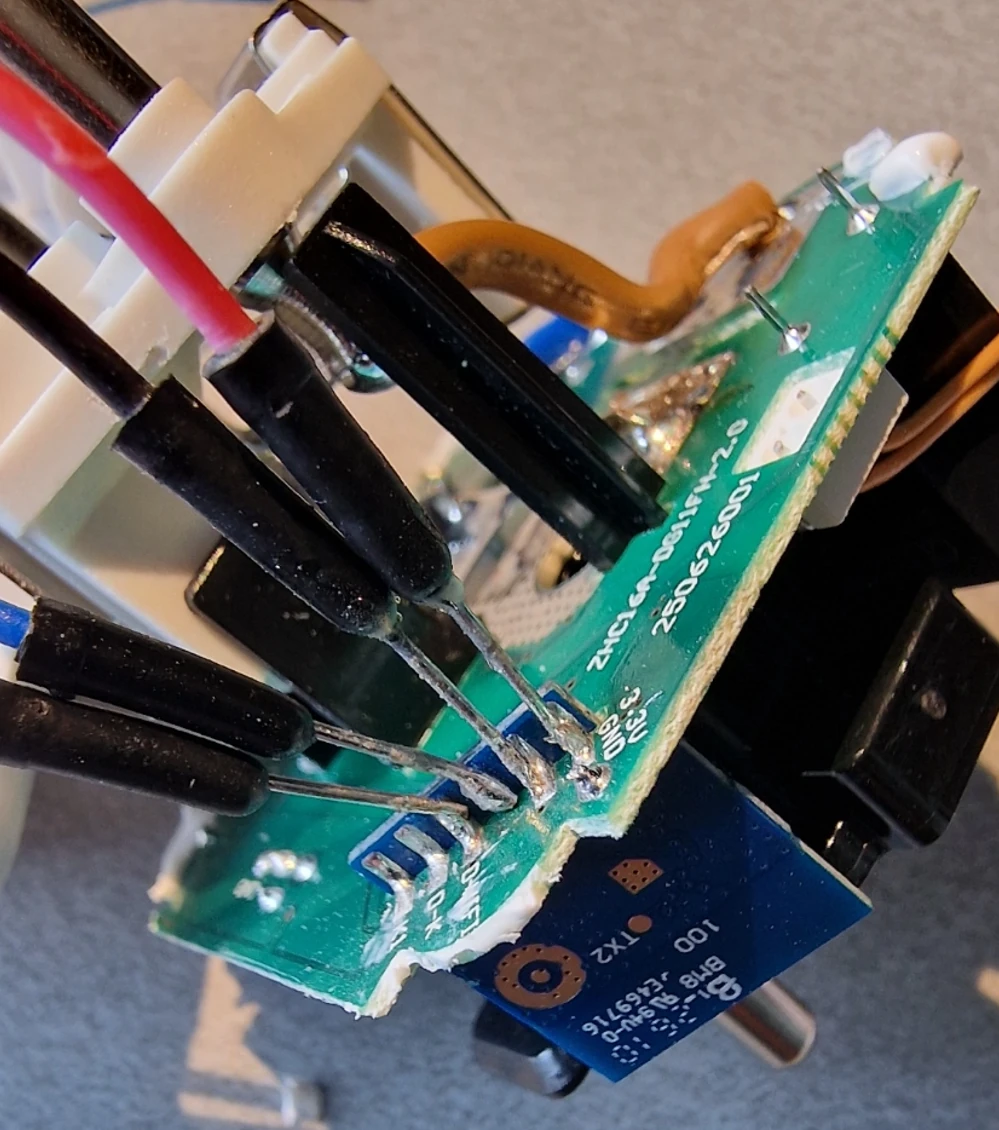
The new-generation plugs eventually ended up running ESPHome, integrated into Home Assistant too. As for the third plug, the older-generation one, it was converted using the original procedure without any particular trouble.
I published the procedure I used in the same HACF thread (post no. 5).
I'm deliberately not reproducing it here. BK7238 support is evolving quickly, and a detailed procedure published today could be obsolete within a few weeks.
That's actually good news: what still required some workarounds during my tests should soon become a routine operation, and the usual procedures will probably work again with little or no adaptation.
Flashing isn't everything
There's one more thing if, like me, you want to measure power consumption: the readings need to be recalibrated after changing the firmware.
And here, it's worth being realistic about what "calibration" means.
I obviously didn't pull out a laboratory power analyser. I used another smart plug as my reference, a Sonoff S60TPF (EU).
I simply chained the two plugs:
Mains → Sonoff → LSC running ESPHome → Load
Rather than adjusting everything against a single value, I used two different loads: one of around 200 W, the other around 1 kW.
The Sonoff's readings then served as reference points for adjusting the values reported by the LSC.
Is this metrological calibration?
Certainly not.
The Sonoff has its own measurement error, my loads aren't calibrated references, and the whole exercise amounts to adjusting one consumer device against another. It would be optimistic to assume these readings are accurate to the nearest watt.
But that's not what I need from them.
I want to be able to see how much a device draws, compare its behaviour on standby and under load, follow changes over time, or simply know whether we're talking about a few watts, a few hundred watts or more.
For that purpose, a reasonably consistent measurement is more than enough for me.
All that to save a few euros?
This is where the maths gets interesting.
At around €7, these plugs look very attractive. Modifying my first two made a lot of sense: they were sitting unused in a drawer. A little tinkering gave them a genuine purpose.
Buying them specifically to modify them is another matter.
With equivalent features (control and power monitoring, designed for Home Assistant), Wi-Fi Sonoff plugs can regularly be found for around €13, Zigbee versions in roughly the same price range, and plugs from other brands for around €10. (Prices observed in September 2026.)
The gap with Action's €7 plug then becomes fairly small.
In exchange for those few euros saved, you have to open the LSC, remove the sealant, work out which hardware revision you've ended up with, access the controller, flash new firmware, reassemble the plug and, if you want to use the power-monitoring feature, recalibrate it.
In my case, that calibration was actually done using… a Sonoff plug.
There's probably a message hidden in there somewhere.
And since Action now has two different hardware revisions sharing identical packaging, the procedure that works for one plug won't necessarily be the right one for the next.
For a difference of €3 to €6, it's hard to justify the exercise on economic grounds.
If I had ten plugs to buy for Home Assistant today, I wouldn't buy LSC plugs to modify them. I'd choose a model suited to the job from the start, Wi-Fi or Zigbee depending on the use case.
Do I regret doing it?
Not at all.
I had two unused plugs, a procedure to try, and a good reason to give them a second life. Then Action changed the hardware, and what should have been a small hack turned into an investigation around a new BK7238.
I learned a few things along the way, the plugs work, and I have one more story to tell.
But let's call it what it is:
this isn't a good way to save money. It's a fun hack on a €7 smart plug.
And sometimes, that's reason enough.
Comments
No comments yet.
Add a comment