
We just wanted to hear the doorbell…
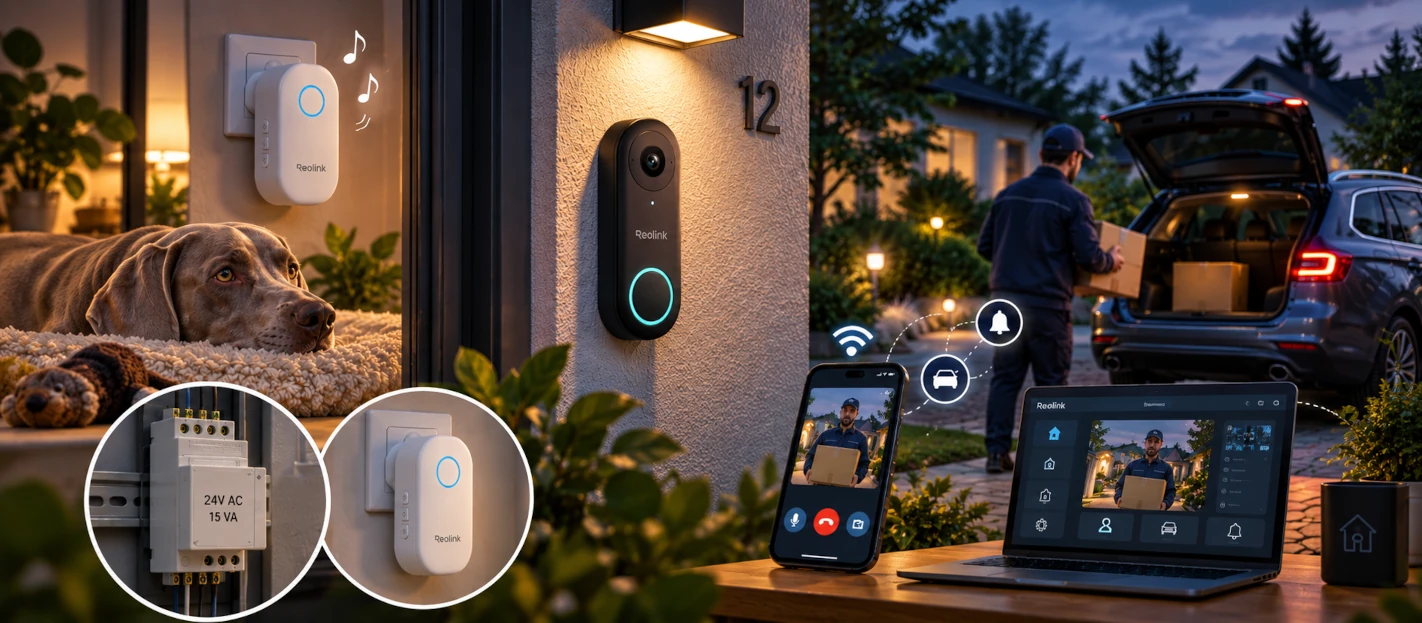
We'd been looking at smart doorbells for quite a while. Why? Well, there was an excellent technical reason, obviously: I'm a massive geek. And my wife isn't far behind, although she hasn't (yet) turned into a full-blown tech addict.
I'd already had my eye on a few models, including Google's doorbells, without ever taking the plunge. Our old doorbell worked, after all. Well… more or less. The chime was right next to the front door, and depending on where we were in the house, we couldn't always hear it. Lately, we'd actually been relying more on the dog than on our own ears to tell us when someone was at the door.
A sort of secondary chime: wireless, self-powered, portable, and with a pretty impressive volume. There was one weakness in the system, though: when Kiss goes into recharge mode, certain events apparently become much less important. And even he occasionally missed one.
So the idea of replacing our traditional doorbell had been brewing for some time, and it was probably my first real steps with Home Assistant that provided the final nudge. This time, we'd made up our minds: we were getting a new doorbell.
A little list of requirements
Before choosing anything, we had to work out what we actually wanted.
First requirement: we were absolutely not rewiring the house for a doorbell. Our setup was as conventional as it gets: a small low-voltage AC transformer powered the doorbell through the existing wires. We were happy to make one or two adjustments, but run new cables? No, thanks.
Next, no battery. There was already power exactly where we needed it, so we might as well use it rather than add another device to the list of things that need charging. We also needed one or more wireless chimes, to solve our original problem once and for all without relying exclusively on our canine notification system.
Being the geeks we are, the doorbell also had to be connected and properly integrated with Home Assistant. We wanted something reliable, with a camera that would let us clearly see who was standing at the door, day or night.
The final requirement was decidedly less geeky, but just as important: the budget. We'd set ourselves a ceiling of around €200 for the entire project.
To sum up:
- reuse the existing wiring;
- continuous power, no battery;
- one or more wireless chimes;
- good Home Assistant integration;
- a reliable product;
- genuinely usable video quality;
- roughly €200 maximum, all in.
And if it could do more than that… well, all the better.
Hunting for a doorbell
Armed with our requirements, I set off in search of the ideal candidate: manufacturers' websites, online shops, reviews, user feedback… One of the first filtering criteria proved particularly useful: could this doorbell run on the power supply already installed in my house? A doorbell can have all the smart features in the world, but if installation starts with “run a new cable to your front door”, it's already lost quite a few points.
Gradually, one name kept coming up: Reolink. I wasn't familiar with it, so I did some digging. The reviews were more than decent, user feedback was encouraging, and on paper its doorbell ticked practically every box. I took a closer look at the power requirements and, good news, it seemed our existing installation could be used. Well… almost.
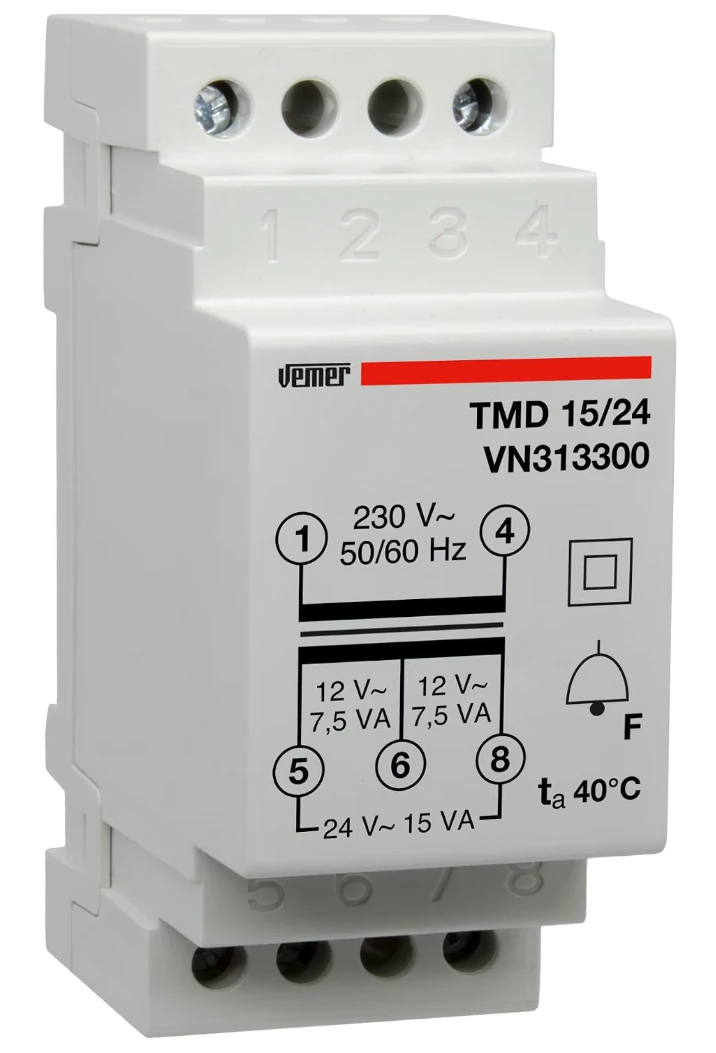
One detail bothered me: the specified power consumption was still 6 W. So I promptly opened the electrical panel to check the transformer powering our old doorbell. Verdict: it was cutting things very close.
That left me with two options. Option one: change nothing, install the doorbell, and hope for the best, with the potential pleasure of diagnosing erratic behaviour a few days later while wondering whether the culprit was the Wi-Fi, Home Assistant, the firmware, the doorbell, the alignment of the planets… or simply an undersized power supply. Option two: replace the transformer straight away with a properly rated model and leave ourselves a comfortable margin.
I checked the prices: about twenty euros. For €20, it was an easy decision. The Reolink doorbell and its new transformer went into the shopping basket. I placed the order, and a few days later… everything had arrived.
I'll do it tomorrow
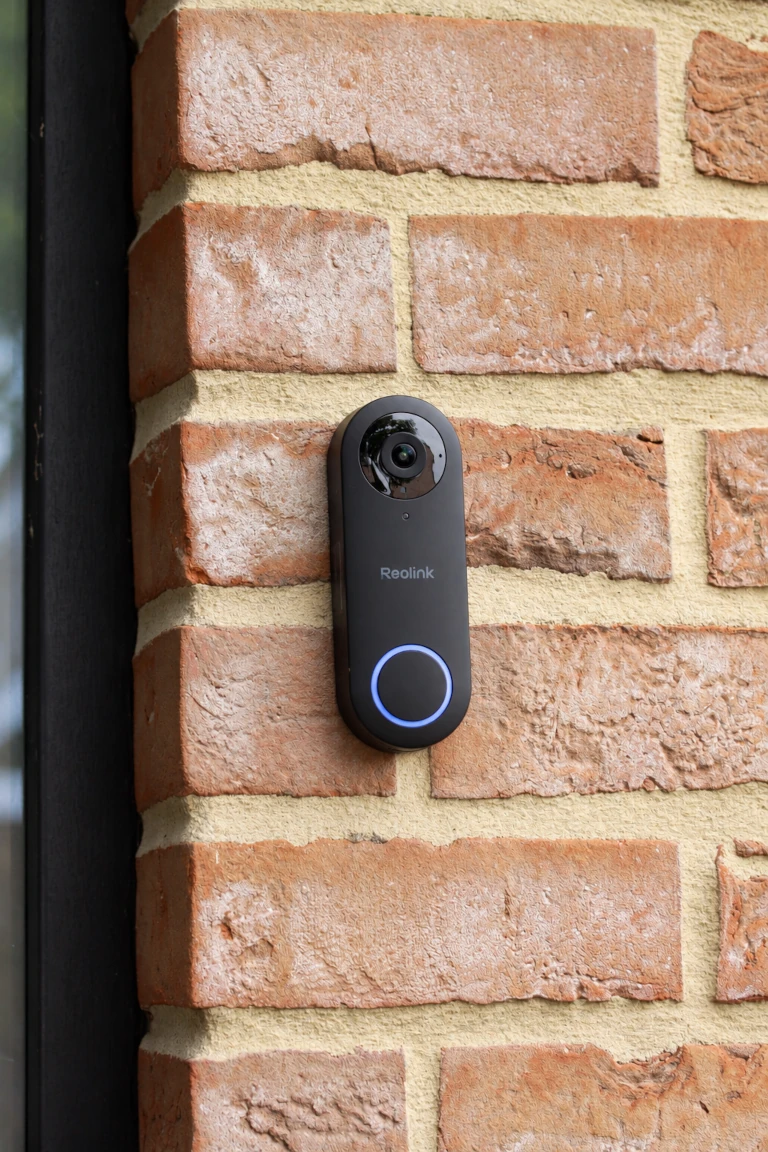
A lovely wired Reolink Video Doorbell 5 MP, in black (a white one on my façade? Absolutely not), and its new transformer.
It's a little after 6 p.m., it's July, and objectively speaking, the sensible decision is obvious: I'll do it tomorrow. No rush. After all, I need to replace a transformer in the electrical panel, remove the old chime, adjust the wiring slightly, take down the old doorbell, and install the new one. Nothing too serious. Exactly. Nothing too serious…
“Don't be ridiculous. Take your time and do it tomorrow.”
For about an hour, this perfectly sensible decision holds firm. Then I change my mind. Worst case, if I don't finish tonight, we'll simply be without a doorbell until tomorrow. Kiss will have to earn his kibble.
Right… let's just get started
I start by removing the existing chime, a necessary step to create a circuit that can supply power directly to the new doorbell. Once it's open, good news: everything is perfectly straightforward. Two Wago connectors will do the job. As for the electrical panel, the new transformer should fit nicely in place of the old one. Everything looks good. No reason not to carry on.
I go and fetch the tools required for this highly technical operation (two screwdrivers), switch off the circuit breaker, and head back to the chime. I adjust the wiring, then look at Kiss. We need to be absolutely clear about the situation: from now on, he's the doorbell. His expression suggests a very professional “Understood, boss.”
I still warn my wife that we probably won't be bothered by the doorbell for a while. An hour… or more? I quickly remove the old outdoor push button to check that there are no unpleasant surprises lurking behind it. Enough wire to connect the new one? Yes. Suitable position? Yes. No lovely holes left exposed in the façade? Yes.
I've been at it for about ten minutes and everything is going exactly according to plan. I'm almost surprised.
Let's do this properly
Still keeping that reassuring thought at the back of my mind (worst case, I'll finish tomorrow), I bypass the necessary wires at the old chime using the Wago connectors. Back to the electrical panel: I remove the old transformer and hold the new one in position. Hmm. Naturally, the terminals aren't arranged the same way as on the old model.
I could pull on the cables a little. I could even install the transformer upside down. It would work. But no: let's do this properly. I have far too much respect for the electrician who assembled this panel to leave behind a half-baked bodge. So I fetch a few lengths of wire, carefully redo the connections to the right lengths, and make sure everything stays neat. A few minutes later, the new 24 V AC / 15 VA transformer is in place, and it looks tidy.
While I'm at it, checking that power actually reaches the front door before connecting the doorbell seems like a good idea. I switch the breaker back on, grab the multimeter, and take a measurement outside: all good. Once again, everything is going suspiciously smoothly.
I check the time: 8:30 p.m. One hole to drill, two wires to connect, and one doorbell to mount. At this point, let's be serious… who would put that off until tomorrow?
One hole and two wires
My wife is on the sofa with Kiss, and there's not much worth watching on TV. As usual? Anyway: might as well finish the job.
I fetch the mounting template supplied with the doorbell, my drill driver and… there we go, one hole. The wiring is genuinely easy: the connections are accessible, installation is straightforward, and everything seems designed to make the process as painless as possible. I appreciate that. You get the feeling the product was designed by people who considered that, one day, somebody would actually have to install it. It sounds obvious, but that isn't always the case.
And no, Reolink isn't paying me to say this. I'm quite happy to point out when something is badly designed; when it's thoughtfully designed, I might as well say that too.
I secure everything in place, and the moment of truth arrives. Back to the panel, I switch the breaker on. I haven't even made it back to the front door when I hear the doorbell babbling away in different languages. It has power, it's booting, nothing has gone up in smoke. I'm almost surprised.
And then… oh, shit. What do I do now?
Just one tiny detail missing
Because during all that absolutely exemplary preparation, when I'd checked the wiring, inspected the transformer, ordered its replacement, checked the dimensions, neatly redone the electrical panel, and measured the voltage before connecting anything… I had, of course, completely forgotten to install the Reolink app on my phone. Well, you can't think of everything.
While I hunt for the app, the doorbell continues dutifully explaining something to anyone willing to listen, in several languages, right outside the house. Hurry up, will you. If someone walks past now, they'll wonder why I've mounted a little black box on my façade that won't stop talking to itself.
Fortunately, the app installs quickly. I fiddle with the Wi-Fi a little because of an intermittent problem on my network (since fixed, and unrelated to the doorbell), then the setup practically takes care of itself: a few steps, connect it to the network… and there we are. Installed, powered, connected, working.
I check the time: 9 p.m. In the end, I could perfectly well have waited until tomorrow. But now there's another problem: it's nine o'clock… and I've got a new toy to play with.
Right, what can it do?
Suddenly I remember the wireless chime. Oh yes, the chime. That thing that was one of the main reasons for replacing the doorbell in the first place. I expect to have to pair it, hunt for an option in the app or at least open the manual. But no: before I've even had time to work out what to do, the chime is already working. I press the button, it rings. Simple, effective, exactly what we wanted. Good news for Kiss: he'll get his kibble either way.
The noise naturally catches my wife's attention. Since everything seems to work, we might as well do a proper test: I take my phone and head outside while she stays indoors. I press the doorbell, it rings, the notification arrives. My wife answers through the app and, a few seconds later, we're talking through the doorbell, me outside and her inside with my phone. Video, sound, two-way conversation… Well, this thing actually works pretty nicely.
I carry on with my highly scientific experiments for a little while before realising I'm standing outside my own house in the evening, ringing my own doorbell to talk to my wife through a box mounted on the wall. My neighbours probably already suspect I'm slightly unhinged. No need to give them proof quite so soon.
Now my wife wants to play too
So we put an end to the outdoor experiments, which absolutely doesn't mean we're done playing with the doorbell. Our first test has sparked my wife's curiosity, and she immediately installs the app on her own phone. I warned you: she might not be a full-blown tech addict… but there's definitely potential. And given the quality of what's on TV, exploring our new toy seems like a perfectly reasonable alternative.
We quickly discover that the doorbell can do much more than we'd originally asked of it. Some features will be useful, others maybe, maybe not.
I could also start integrating it into Home Assistant. I could. But for once, a small voice of reason manages to make itself heard: Home Assistant can wait until tomorrow. That means I've actually managed to stick to one sensible decision this evening. Not quite the one I'd made at 6 p.m., but still…
And the very next day…
The next day, we're both working from home. Time for Kiss's daily walk, because our boy does need some entertainment. Off we go, all three of us.
Partway through the walk, a notification appears on our phones and, almost immediately, my wife's phone starts ringing as though she's receiving a call. Huh? Someone's at the door. And that's when I discover that the app can present a press of the doorbell button as an actual incoming call. Pretty clever.
Except there's one detail: the doorbell is calling my wife. AND NOT ME. I have to admit, I'm almost jealous. I chose it, ordered it, replaced its transformer, removed the old chime, redid the wiring, drilled the hole, and installed the app. And less than 24 hours later, it prefers calling my wife. Fine. I see how it is.
The first real-world test
My wife answers and suddenly finds herself on a video call with a delivery driver standing at our front door. There's a slight delay in the conversation, but nothing bothersome. We look at each other and smile: this thing really does work. She tells the driver where to leave the parcel, and that's that.
Told like that, it sounds almost trivial. But we're out walking, nobody's home, and we've just dealt with a delivery driver who, with our old doorbell, would simply have found no one at the door. That could come in seriously handy.
One essential question remains: why does the doorbell call my wife and not me? A quick look in the app provides the answer. She enabled the feature that turns a doorbell press into an incoming call; I'd simply left the standard notifications switched on. So the doorbell doesn't actually prefer my wife. What a relief.
And what about Home Assistant?
That same evening, I finally tackle one of the important items on our requirements list: Home Assistant. And honestly, there isn't much to tell. I'd love to say I had to get the toolbox out, decipher some obscure protocol, or cobble together something improbable, but no: it just works. The Reolink integrates directly, the entities appear, and everything we need is there to start playing. The only thing I had to fiddle with was choosing the right video stream to use. Nothing dramatic.
So what do we actually do with it in Home Assistant? Not a whole lot, to be honest. Mainly display the video feed and receive notifications on our PCs when someone rings the bell. For everything else, particularly talking to visitors when we're away from home, the Reolink app does the job perfectly well.
Another point that matters to me: what happens if the Internet goes down? Well, the doorbell keeps working locally. The chime still rings, and the video stream remains accessible on our local network. Obviously, remote access over the Internet is no longer available. Nothing particularly surprising there, but it's good to know.
In the end, there's no need to reinvent the wheel. Home Assistant handles the things we're interested in around the house, the manufacturer's app takes care of the rest, and everything gets along just fine.
For a connected device, that's already quite an achievement.
And then we start getting ideas…
We still haven't explored everything this doorbell can do, but some uses seem to suggest themselves.
One evening, we're about to head over to some friends' place, knowing a delivery might arrive while we're out. Normally, we'd ask the driver to leave the parcel with a neighbour. This time, my wife says:
“Let's not bother the neighbours again. Worst case, I'll ask the driver to put the parcel in the boot of the car.”
…
Oh. Right. Because now we can actually do that. We leave in one car, with the other parked outside the house. Less than twenty minutes later: an incoming doorbell call on my wife's phone. The delivery driver. She answers.
“Hang on, I'll open the boot of the car outside the house for you…”
A few seconds later, the boot opens. Through the doorbell camera, she sees the driver look at the car… and then smile. He calmly puts the parcel in the boot before coming back to the doorbell.
“Should I close the boot?”
“No, no… I'll take care of it.”
A few seconds later, the boot closes. The driver bursts out laughing. So do we.
We're several kilometres from home, yet the driver was able to contact us, we remotely opened a secure place for him to leave the parcel, and then closed it again afterwards. Without bothering the neighbours. We'd never installed a dedicated parcel drop box: as it turns out, we didn't need one. We'd simply found a new use for the boot of our cars.
And remember, in the beginning… all we wanted was to hear someone ringing the doorbell.
The little things that add up
Over time, we've found a few much less spectacular benefits, too. When I'm working, for example, I'm quite often wearing headphones, which made our old chime, already badly positioned, even less likely to catch my attention. Now, the notification pops up directly on my PC. I no longer miss deliveries and, better still, I can immediately see who's standing at the door.
For delivery drivers, that's genuinely useful. For door-to-door salespeople… a little less so. Sorry: technology sometimes has some rather interesting side effects.
So, is it essential?
No. Claiming that would be a lie. We managed perfectly well without this doorbell and we'd survive just fine if it disappeared. But we do like it. It solved the problem we bought it for, fitted easily into our daily routine, and brought possibilities we'd never thought about beforehand. We still haven't explored all its features, either: some will probably remain gimmicks, while others might give us another idea six months from now.
Ultimately, that's what we appreciate most about this kind of device: not so much what it promises on the box, but what we end up doing with it. We don't really think about “using our smart doorbell” anymore: it's simply there whenever it's useful. For us, that's probably the best sign that a connected device has genuinely found its place in the home.
Verdict: GREY/WIRED APPROVED.
Kiss approves too: he still gets his kibble without having to be on 24/7 front-door duty. Which doesn't stop him, when he's on shift, from dutifully alerting the entire neighbourhood whenever someone approaches. Well… except during lazy spells or recharge time.

Useful links
- Reolink Video Doorbell WiFi 5 MP — official product page
- Reolink — installing the doorbell using existing wiring
- Home Assistant — Reolink integration documentation
Update(s)
2026-10-10: Smoothed out the writing and expanded the article with more details about the installation, Home Assistant integration, and everyday uses we discovered along the way.
Comments
No comments yet.
Add a comment