
Home Assistant? What Is This Thing?
I wanted to retrieve data from my electricity meter and a smart plug. A few clicks later, Home Assistant had discovered part of my house and I was starting to wonder what else I could integrate into it. Energy, solar panels, lighting, cars, Zigbee... what started as a simple test is slowly beginning to raise a lot of new questions.
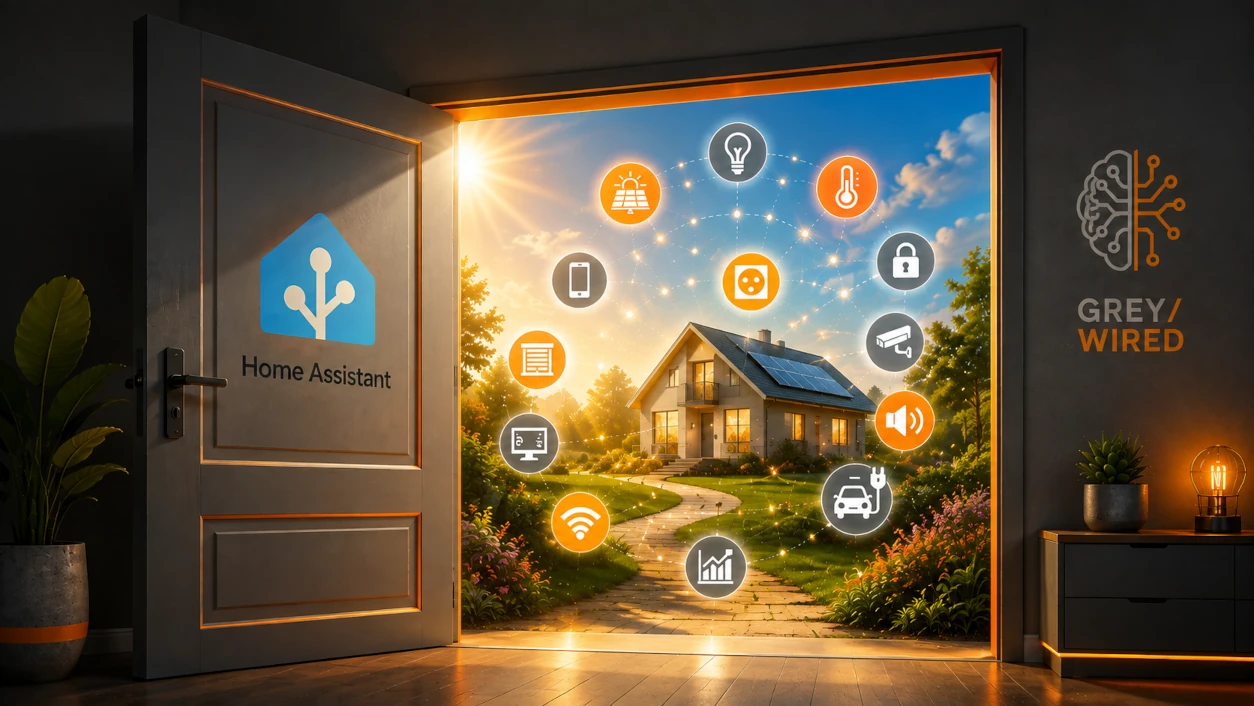
In the previous article1, I had left off with my HomeWizard P1 Meter, a smart plug, and an idea that still seemed reasonable: grab their data and play around a bit.
My research led me almost immediately to Home Assistant2.
The name says it all. If you type "open source home automation" into Google or watch a few videos on the subject, it won't be long before it shows up.
Before installing anything, I take a look at what I'm getting into. A bit of reading, a few videos, and two things become clear: the ecosystem is huge, and the number of devices and services that can be integrated is impressive.
The little drawer I had opened a crack in the previous article?
It was a lot deeper than expected.
Looking back, I know there are other solutions, such as Jeedom3. But at the time, I don't even look any further. So I won't tell you that Home Assistant is better than the rest: I haven't tried the others enough to compare.
It's simply the one I stumbled upon. It seems able to do what I'm after and, in my case, trying it costs me next to nothing.
So why not see where it leads?
Thankfully. The ecosystem is so vast that trying to study everything before installing Home Assistant is probably the best way never to install it.
Starting small seems, in hindsight, like a good approach. One integration. A few devices. And see where it leads.
In my case, it will lead quite far. But I don't know that yet.
Right... let's install it
I already have infrastructure at home that can host virtual machines. So getting started costs me nothing.
I install Home Assistant OS in a VM: in my environment, it's both the simplest and the most flexible option. I won't go through the steps here: the official documentation7 does that very well, and the process is simple and quick enough not to turn this article into a tutorial.
A few minutes later, Home Assistant is running. All that's left is to integrate HomeWizard.
Two clicks later...
I look up HomeWizard8, set up the integration and, a few clicks later, my P1 Meter and my plug are there, with their data.
Ah. That was easy.
But Home Assistant doesn't stop there. As soon as it was installed, it discovered a whole series of devices already in the house. Some are obvious. Others, I never imagined would have anything to tell it. A few, I had completely forgotten about. Several can be integrated in just a few clicks.
I click, I add, and I watch what appears.
I'm a little lost.
I start looking at the house differently. The TV? The alarm? The Google Nest devices? The phones? The cars? Each time, the same question comes back:
"Can Home Assistant do something with that?"
Often, the answer seems to be yes: sometimes directly, sometimes through an additional integration, sometimes with limitations. And when no official integration exists, a community project often lets you go further.
To be honest, I even integrate some devices with no idea what I'll do with them. Home Assistant tells me it has discovered something, I see that an integration exists, I add it... and only then do I look at what has appeared. Information? Commands? States whose existence I didn't know about?
We'll see.
Some integrations are of immediate interest. For the others, I just note that they work before moving on.
I started with Home Assistant to solve one very specific problem. Now, I'm adding things before I even know what problems they might solve.
The house as a black box
Let's get back to the reason I ended up here: energy.
With HomeWizard in Home Assistant, I finally have my meter's information. I can see what the house draws from the grid and what it feeds back into it.
Very good. Except that a limit quickly appears: the meter sits at the boundary between my house and the grid. It sees what comes in and what goes out, but knows nothing about what happens behind it.
My house remains a black box.
Imagine the meter tells me I'm feeding 1 kW into the grid. Are my panels producing 1.2 kW while the house uses 200 W? Or 3 kW, of which 2 kW is being consumed at the same time? To the meter, it's identical: 1 kW goes back to the grid. To me, they're two completely different situations.
Since I have solar panels, the next step is logical: I need to integrate their production too. One more thing to integrate.
And the panels?
I look for a way to retrieve the data from my photovoltaic installation. What I need doesn't exist as a native integration, but a third-party integration can get it through the API of SEMS Portal9, the portal used to monitor production.
A bit of research and configuration later, my panels show up in Home Assistant too.
This creates a dependency on an external service. Ideal? Probably not. A problem at this stage? Not really. I'm in the experimentation phase and I already have plenty to discover without turning every element into an engineering project aimed at eliminating every last dependency. And if that API disappears tomorrow, my panels will keep producing electricity. I'll lose the data in Home Assistant, not the solar power.
The solution exists, it works and it lets me move forward. For now, that's more than enough.
But something interesting is happening. My meter has its data, my photovoltaic installation has its own, my HomeWizard plug too, and other devices in the house probably have theirs. Home Assistant offers a place where all this information can finally meet.
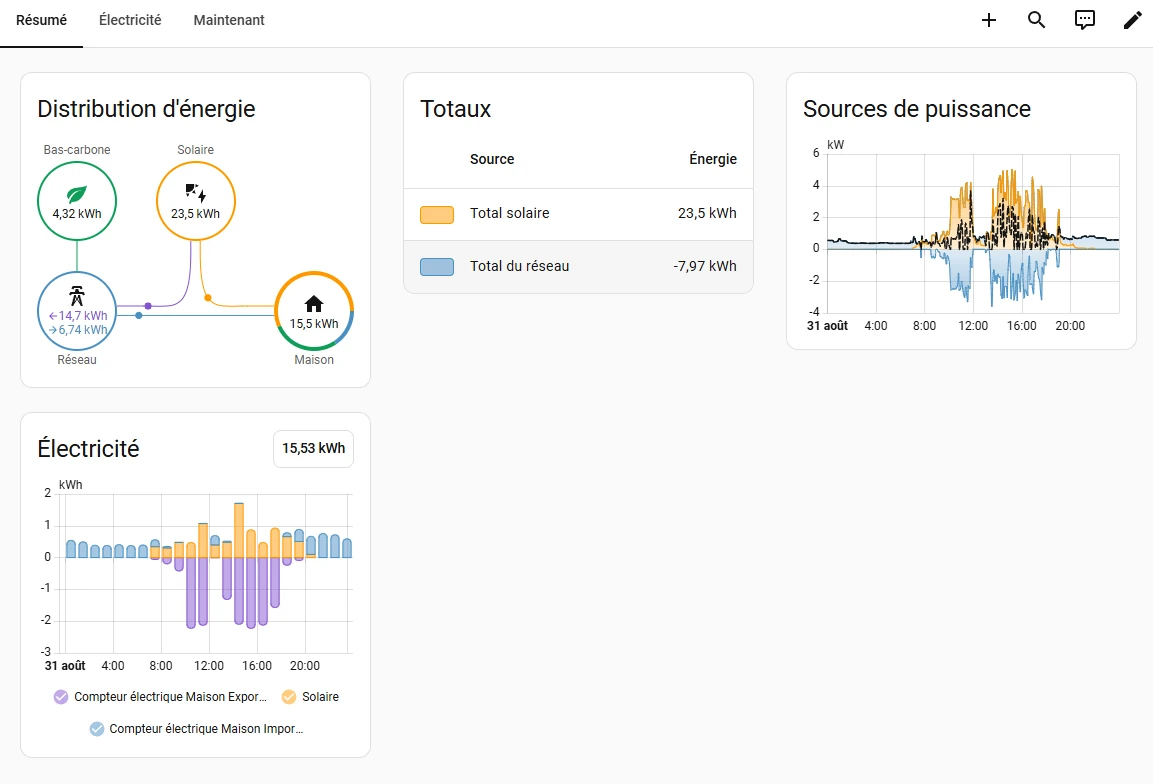
And slowly, the house stops being such a black box.
Seeing consumption is good. Understanding it is better.
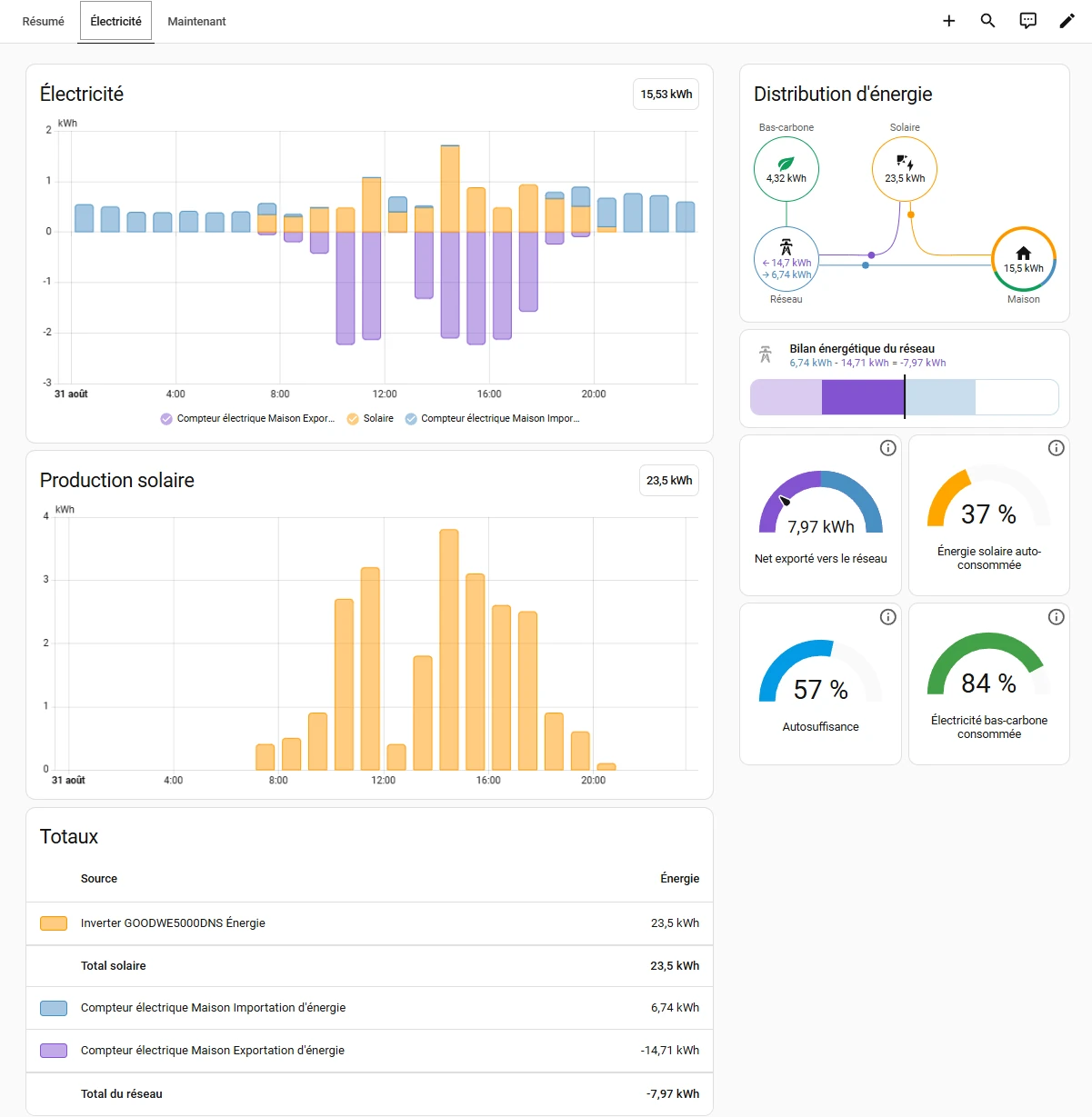
I can now see what the house consumes, what the panels produce and what goes out to the grid. But I still don't know what's hiding behind the overall consumption.
How much does my IT infrastructure use? What does the office account for over a day? Do some devices stay on for hours for nothing? And could I detect a piece of equipment whose consumption suddenly drifted from its usual behavior?
I'm not trying to track every last watt to save three cents. It's the trends that interest me: understanding what counts as normal consumption, spotting a few possible optimizations, noticing something unusual and, why not, one day getting an alert when a device no longer behaves as expected.
For that, I'd need finer measurements than overall consumption. And I think back to my HomeWizard plug, which measures exactly what is plugged into it.
At a reasonable price, a few more plugs would let me measure certain items without touching the electrical installation: the IT infrastructure, the office, or a few devices whose real consumption I'm simply curious about.
Right.
One more project on the list.
And the list keeps growing
Speaking of energy consumption, there are also the cars. Charging them certainly makes a difference to the household's energy use.
Hmm... Does that integrate with Home Assistant?
Spoiler: yes.
From there, I more or less take inventory of the house. The central heating? To be checked. The battery-powered interior blinds installed eight years ago? Why not. For each device, the same question: what can Home Assistant retrieve from it and, possibly, what can it do with it?
The funniest part is that at this point I still have no idea what I'm going to do with all of this. There is no carefully prepared grand home automation plan. I test, I search, and each possibility suggests another. Some experiments will turn out useful, others not, and for a few there may never be a conclusion.
For now, that doesn't matter.
And the lights?
As I explore what Home Assistant can integrate, I inevitably turn my attention to lighting.
Controlling a few plugs is fun. Controlling the house's lighting opens up a lot more possibilities. So I look at what exists. Philips Hue10 comes up very quickly, but gradually replacing all the bulbs with connected ones doesn't convince me.
And something bothers me about certain visions of the "smart" home: I have no desire to take out my phone to turn on a lamp. If someone walks into a room and presses the switch, the light must turn on.
Like before.
Everything I'm doing remains experimental, and I don't even know whether Home Assistant will still be installed at my place in a few months. So it's out of the question for my experiments to disrupt the normal running of the house. Better still: if Home Assistant goes completely down, I'd like the main consequence to be:
"Ah. Home Assistant is down."
And the day carries on. No light rendered unusable, no need to explain to someone which app to open and, as far as possible, no essential function hanging on a virtual machine running somewhere.
Home automation should build on what already works, not become something it depends on.
With that in mind, the small modules that fit behind existing switches become very interesting: the switch stays where it is, its use doesn't change, but Home Assistant can also act on the lighting. In principle, it's exactly what I'm looking for.
What remains is to check what is actually behind my switches. So I take a few apart: wiring, presence or absence of a neutral, type of switch, space available behind the mechanism... I quickly understand why there are so many variants of these modules: with neutral, without neutral, relays, dimmers.
My research leads me in particular to Sonoff modules11. Prices are reasonable enough to order two or three and experiment without equipping the whole house. And on paper, I checked what was needed to choose the right modules.
On paper.
We'll come back to that.
Zigbee? What's this thing now?

One detail remains: some of the modules I'm looking at use Zigbee12, a term I know vaguely by name without knowing what it covers.
A bit of research teaches me that it's a wireless communication protocol widely used in home automation, and that with the right hardware, Home Assistant can speak it13. A USB dongle seems to do the job (Home Assistant even offers its own, the Connect ZBT-25).
My curiosity is piqued. A few Sonoff modules, a dongle so Home Assistant can talk to them...
Order placed.
My first steps with Zigbee and the installation of these modules deserve their own article. Taking a step back, the situation is rather funny: I came to Home Assistant to retrieve the data from my meter and a smart plug. I now have my solar production integrated, a growing list of devices to explore, ideas for energy monitoring, a few Sonoff modules on order and a new protocol to discover.
I still don't know where all this will lead. But one thing is becoming obvious:
the little drawer wasn't just deeper than expected. It opened into a whole maze.
Notes and links
Updates
2026-10-13: Minor editorial revisions, formatting fixes, and additional references.
Footnotes
-
Previous article in the series, on the smart meter and the P1 port : https://greywired.be/en/articles/smart-meter-p1-port/ ↩
-
Home Assistant, official website: https://www.home-assistant.io ↩
-
Jeedom, another home automation solution: https://www.jeedom.com ↩
-
Home Assistant Green, official ready-to-use box designed by Nabu Casa: https://www.home-assistant.io/green/ ↩
-
Home Assistant Connect ZBT-2, Zigbee / Thread / Matter USB adapter, successor to the ZBT-1: https://www.home-assistant.io/connect/zbt-2 ↩ ↩2
-
Nabu Casa, the company behind Home Assistant and Home Assistant Cloud: https://www.nabucasa.com ↩
-
Official Home Assistant installation documentation: https://www.home-assistant.io/installation/ ↩
-
HomeWizard: https://www.homewizard.com; Home Assistant integration: https://www.home-assistant.io/integrations/homewizard/ ↩
-
SEMS Portal, solar production monitoring portal (GoodWe): https://www.semsportal.com ↩
-
Philips Hue: https://www.philips-hue.com ↩
-
Sonoff (ITEAD): https://sonoff.tech ↩
-
Zigbee, presented by the Connectivity Standards Alliance: https://csa-iot.org/all-solutions/zigbee/ ↩
-
Zigbee integration (ZHA) in Home Assistant: https://www.home-assistant.io/integrations/zha/ ↩
Comments
No comments yet.
Add a comment